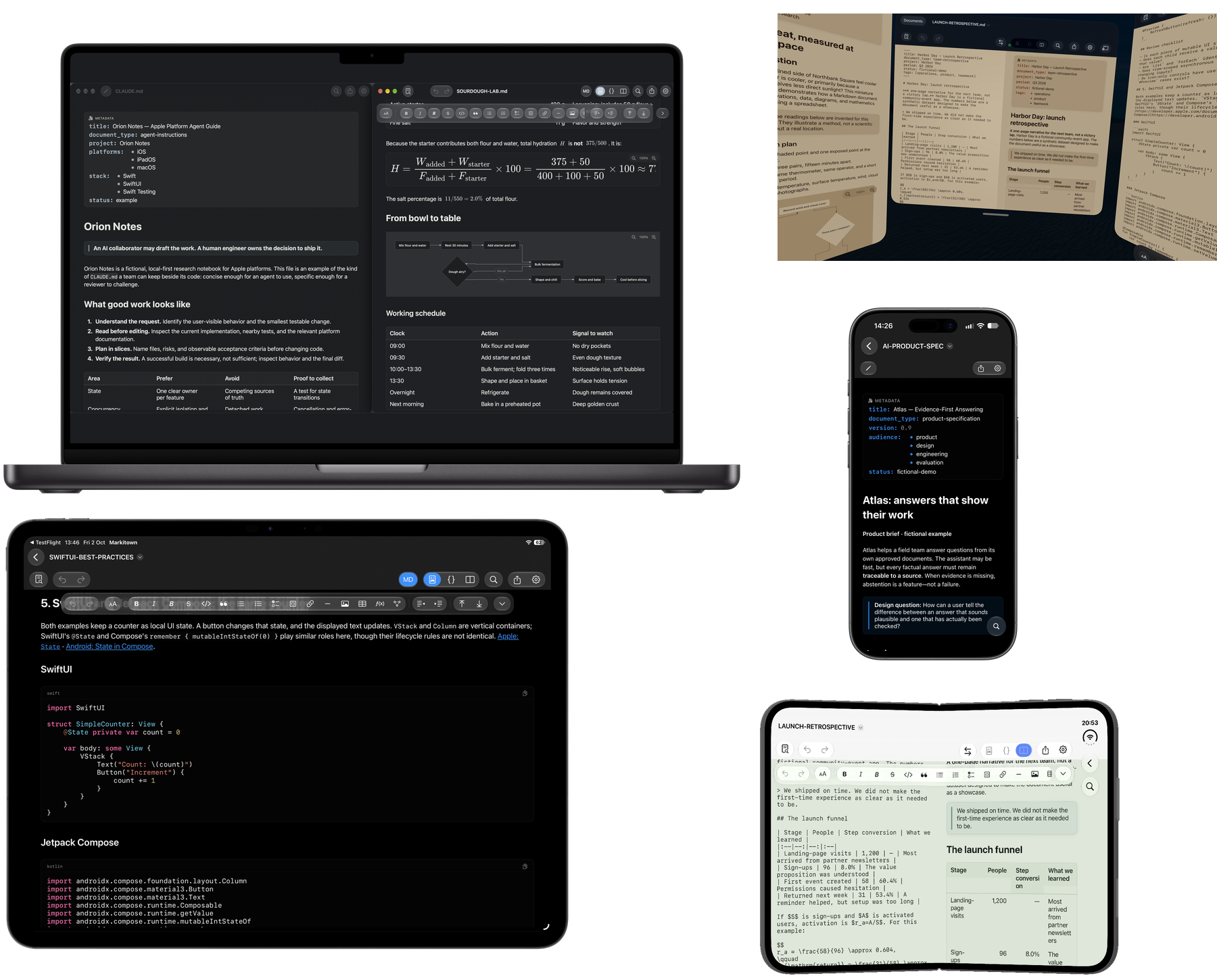
One purchase. Every platform. Forever. A single purchase of the full version gives you permanent access on Mac, iPhone, iPad and Apple Vision Pro for the same one-time price, using the same Apple Account. No extra payment per platform. No subscription. Reading remains free.
Your agent writes. You stay in control.
Review your skills, AGENTS.md, subagent instructions and plans. Read the Markdown your AI creates. Refine it in a native workspace, on your Apple devices.
Start free · $0Unlimited reading. Optional full-version unlock. No subscriptions.
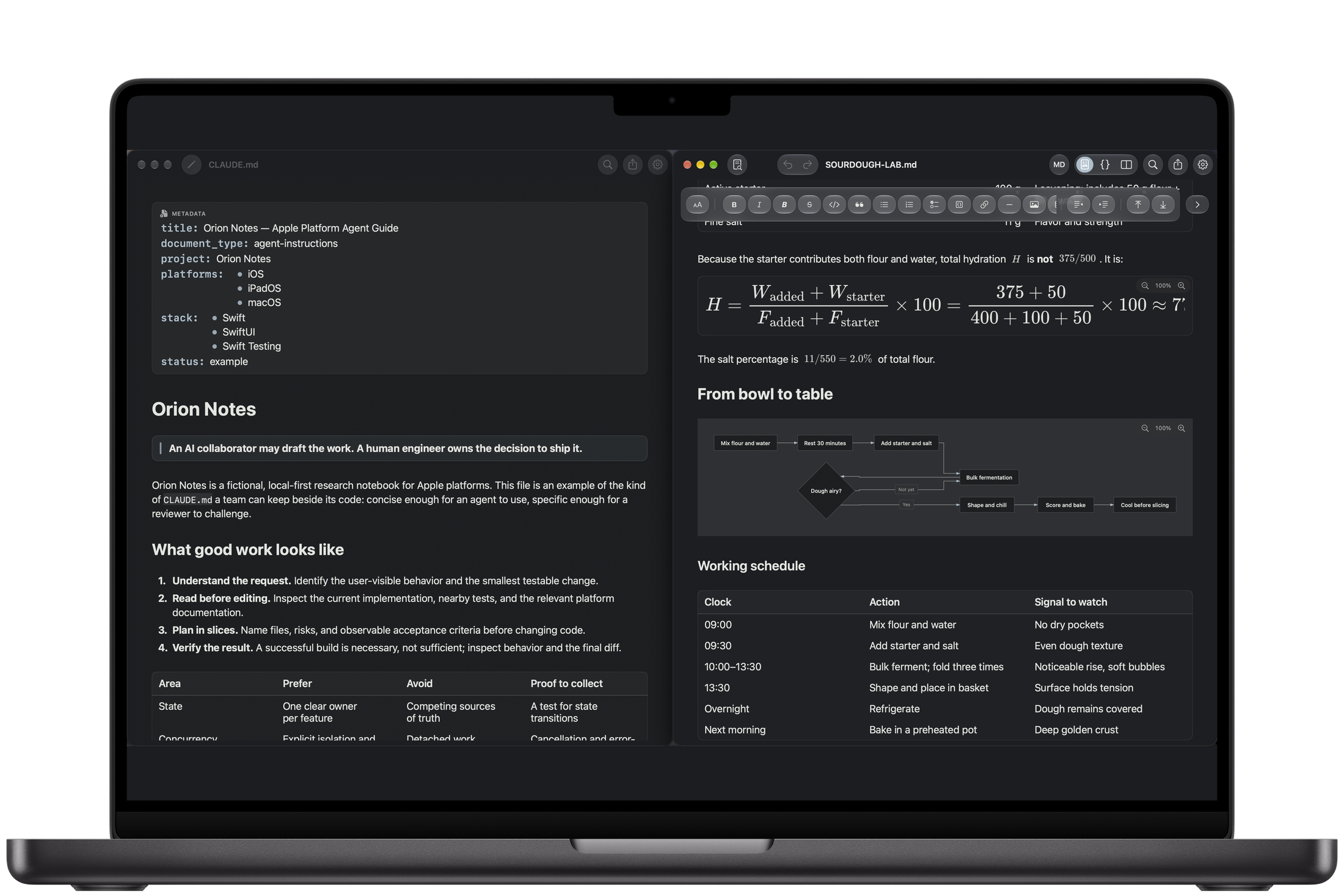
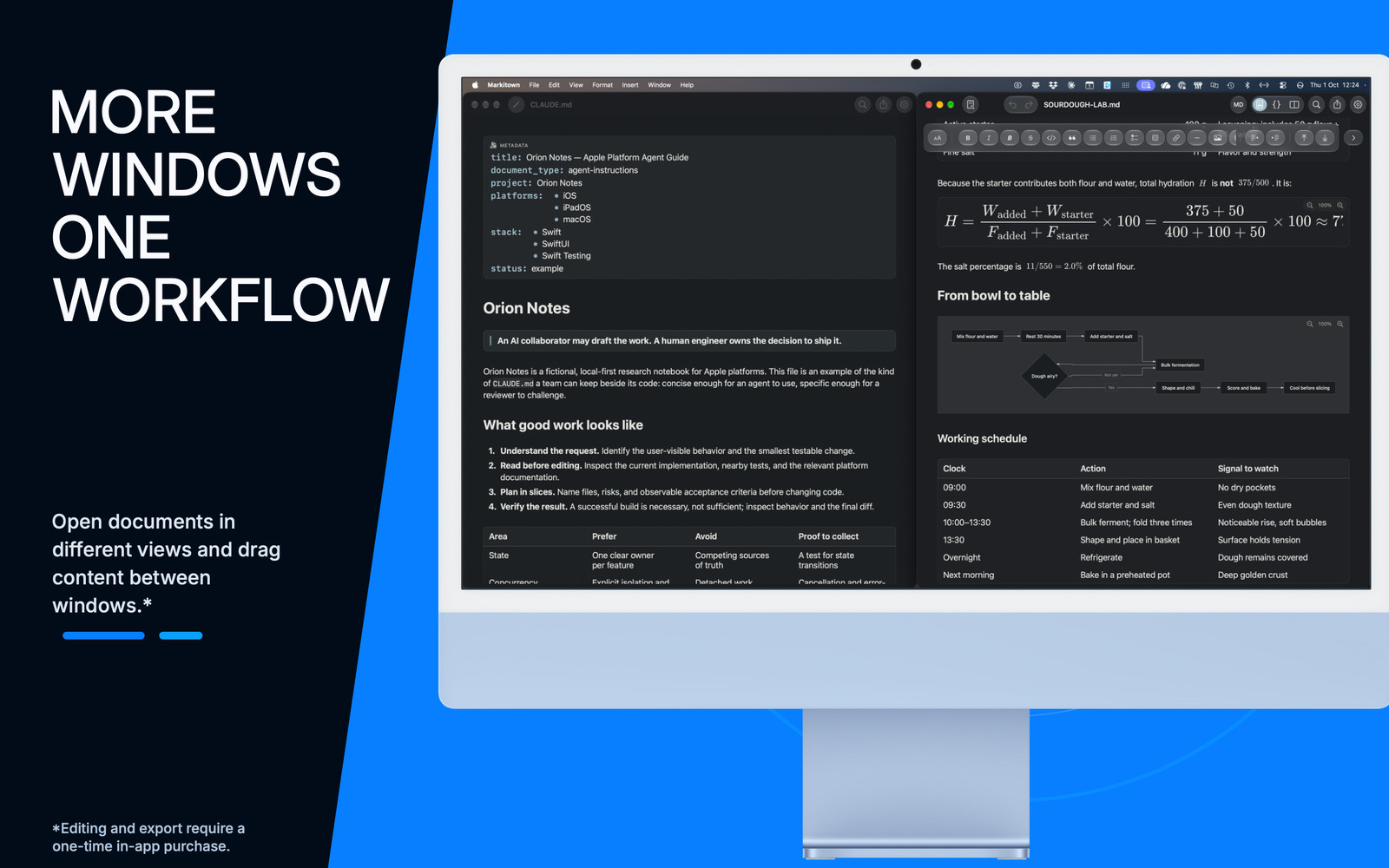
Mac · CLAUDE.md agent guide and a rich Markdown document, side by side.
iPhoneiPhone DuoiPadMacApple Vision Pro
The documents behind your agents
Your skills. Your rules. Your plans.
Read the instructions your agents follow and the work they leave behind. Skills, AGENTS.md, CLAUDE.md, subagent definitions and plans are all ordinary Markdown. Review them clearly. Edit them with the full version.
Human-readable documents. Agent-readable source. No proprietary format.
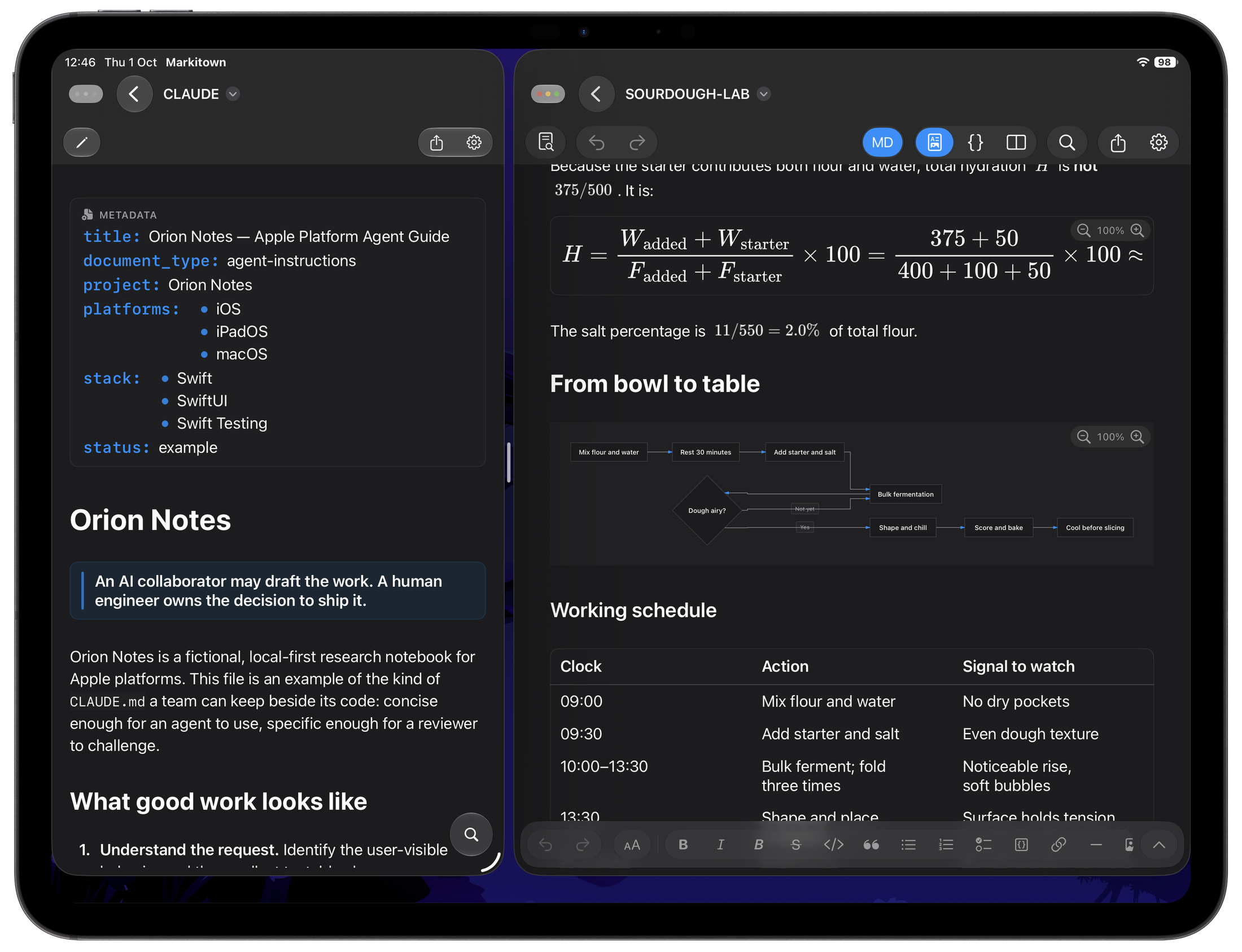
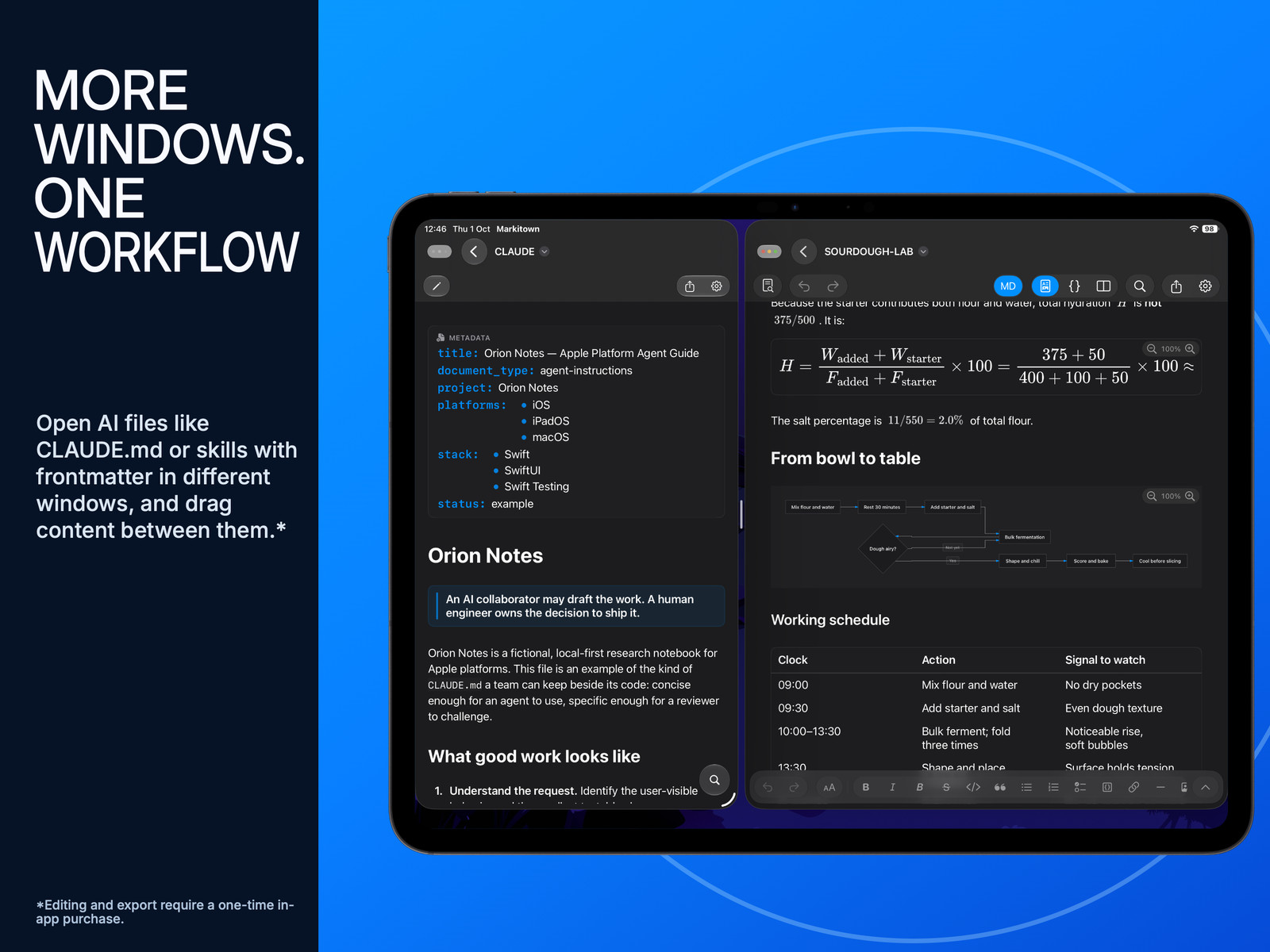
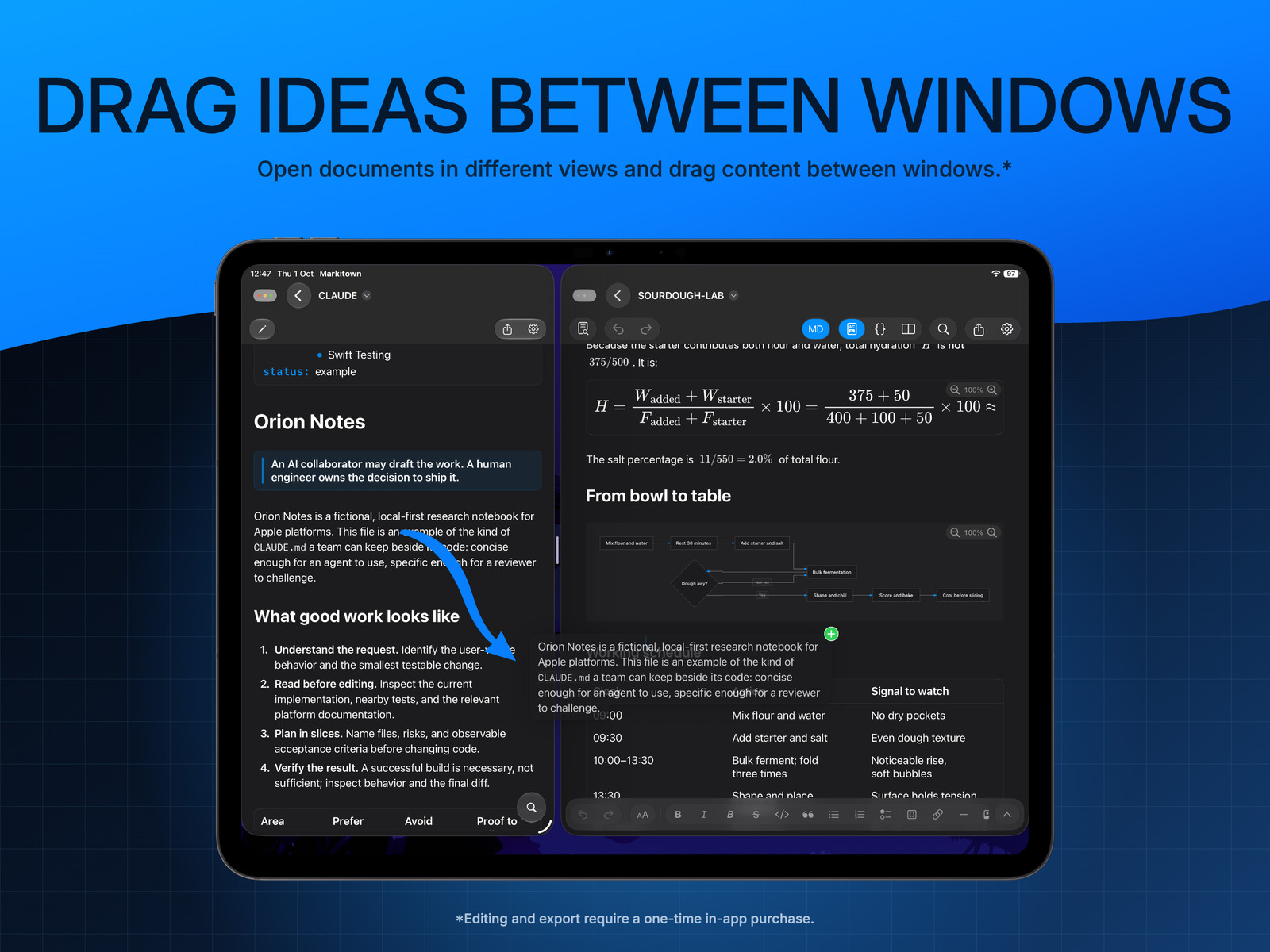
iPad · CLAUDE.md instructions and YAML metadata beside a second document.
SKILL.md
Review a skill’s instructions and YAML metadata before putting it to work.
AGENTS.md · CLAUDE.md
Read the rules, context and boundaries your agent is meant to follow.
Subagent instructions
Keep specialist roles and handoffs clear in their Markdown definitions.
Plans & reports
Review the Markdown your AI creates. Refine the plan before the next step.
Included. Free.
Your agent’s output. Ready for your review.
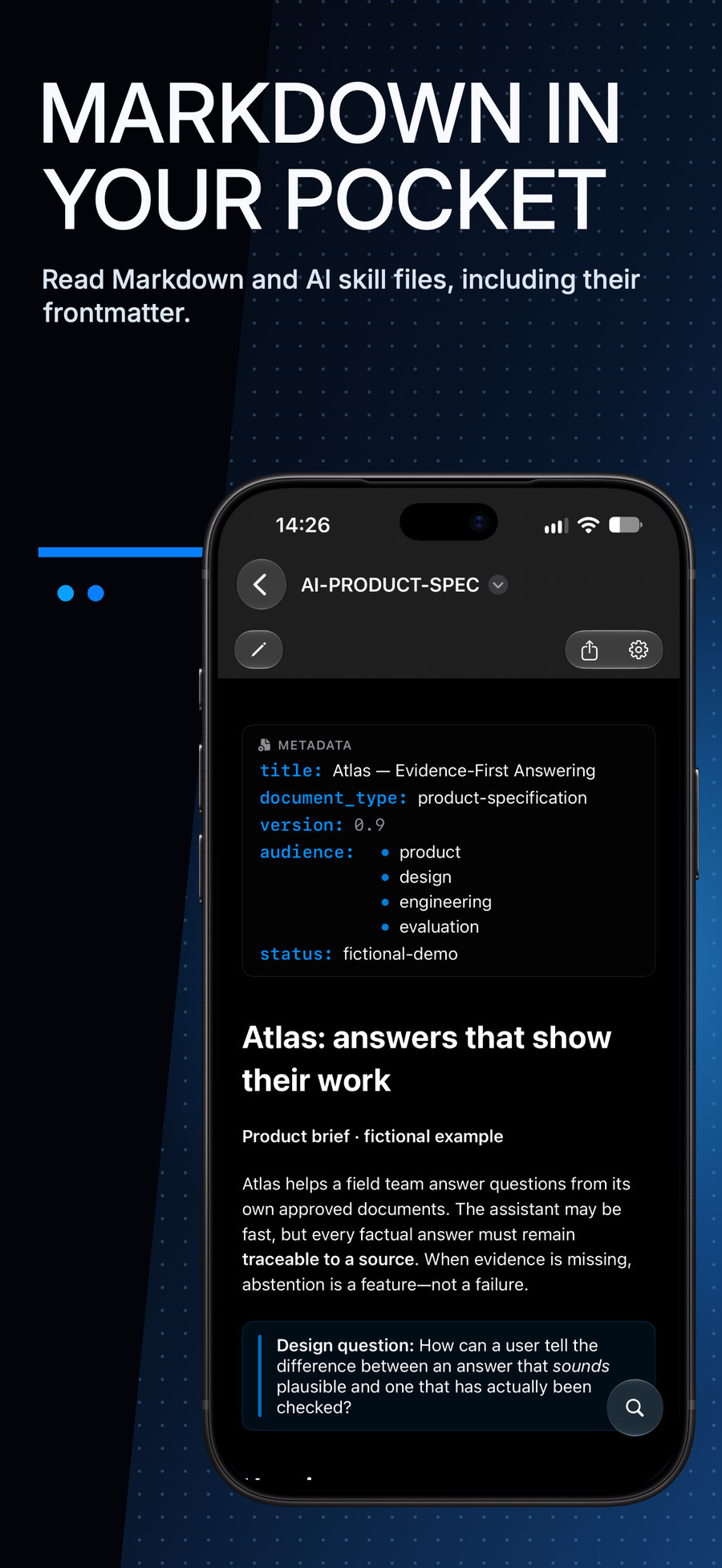
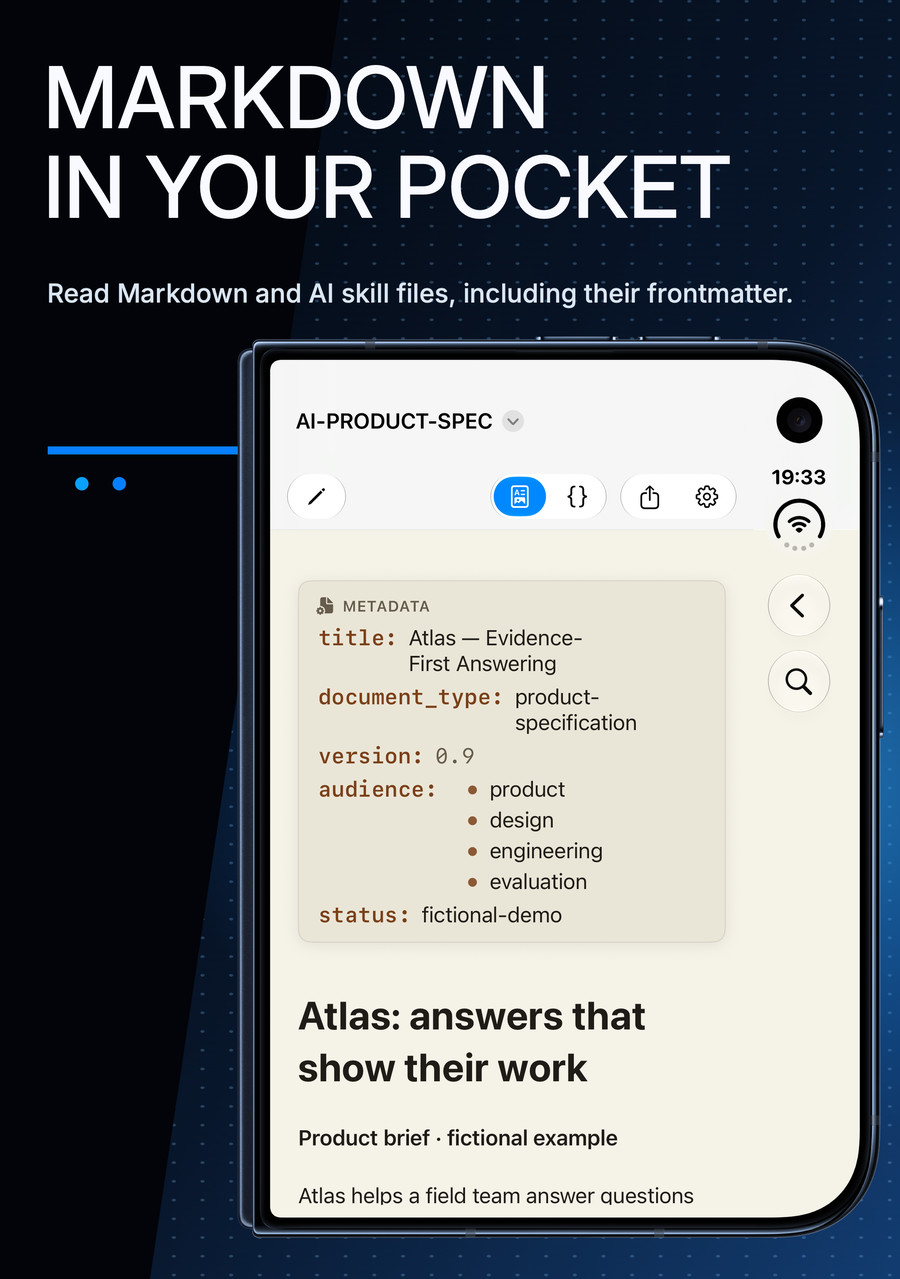
A plan, a report, a product spec. Read the Markdown your AI creates as a properly structured document, not a wall of syntax. No import. No account.
Read for free. No account required.
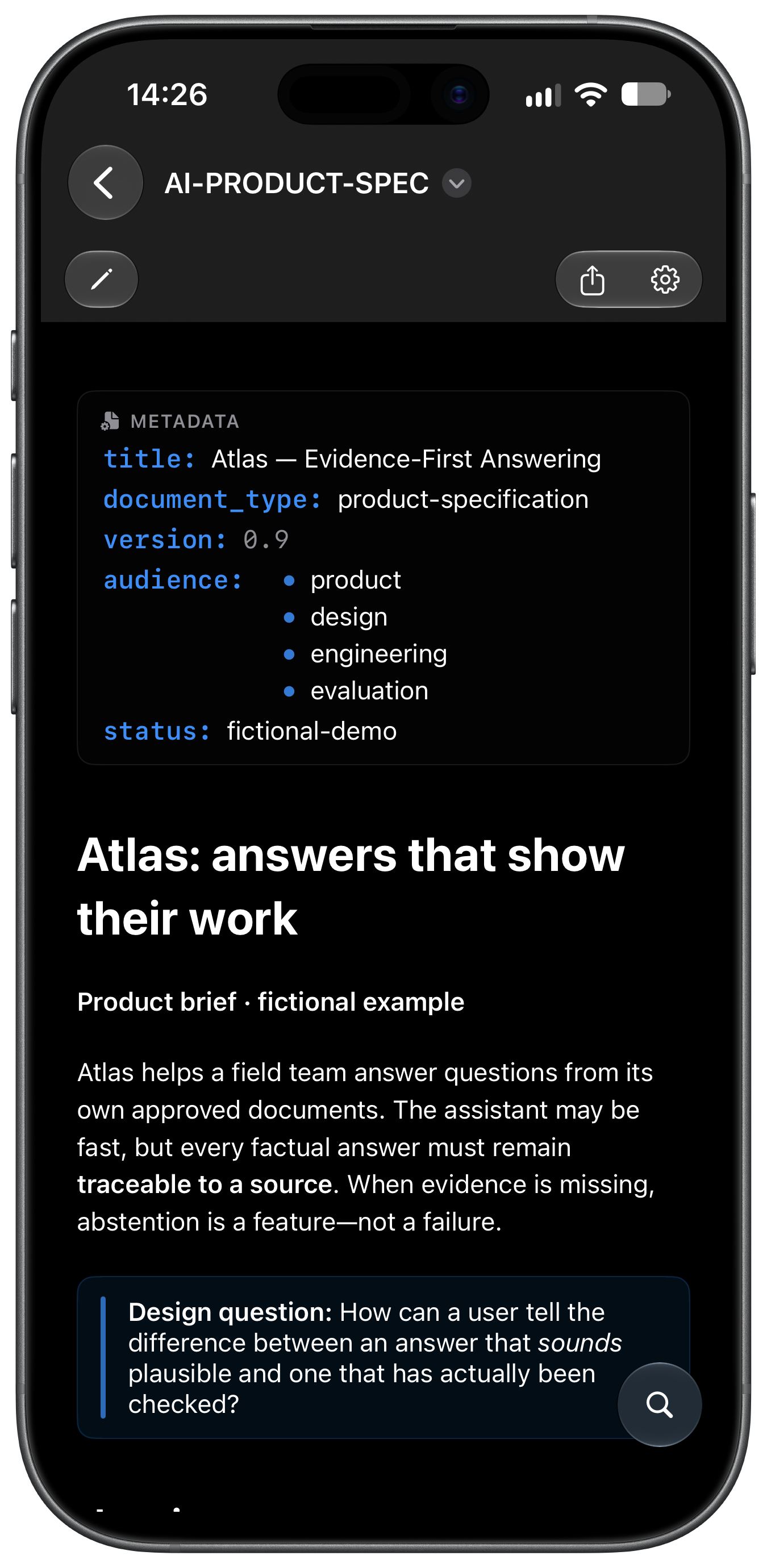
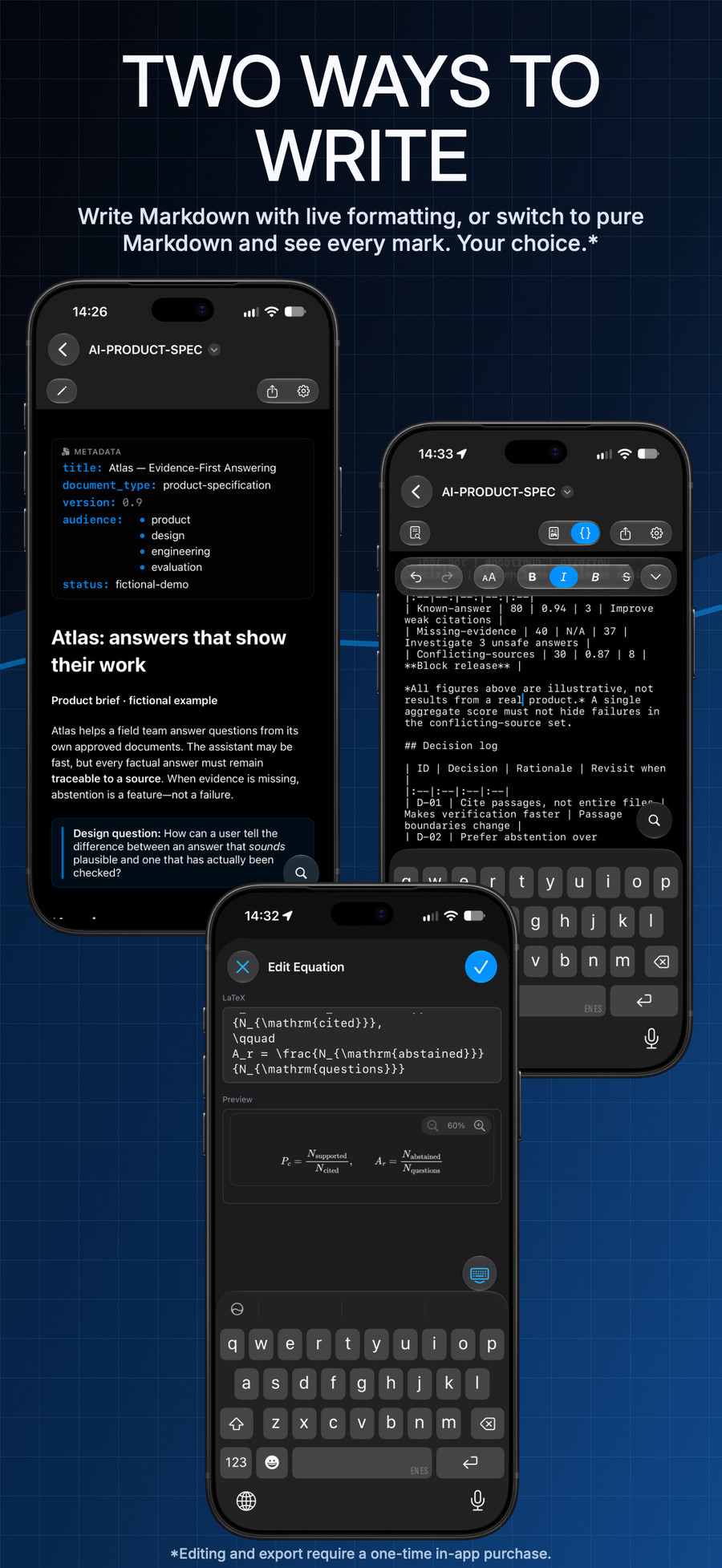
iPhone · Rendered product specification with YAML metadata.
Read. Really.
Markitown · Full version
Review the plan. Refine it your way.
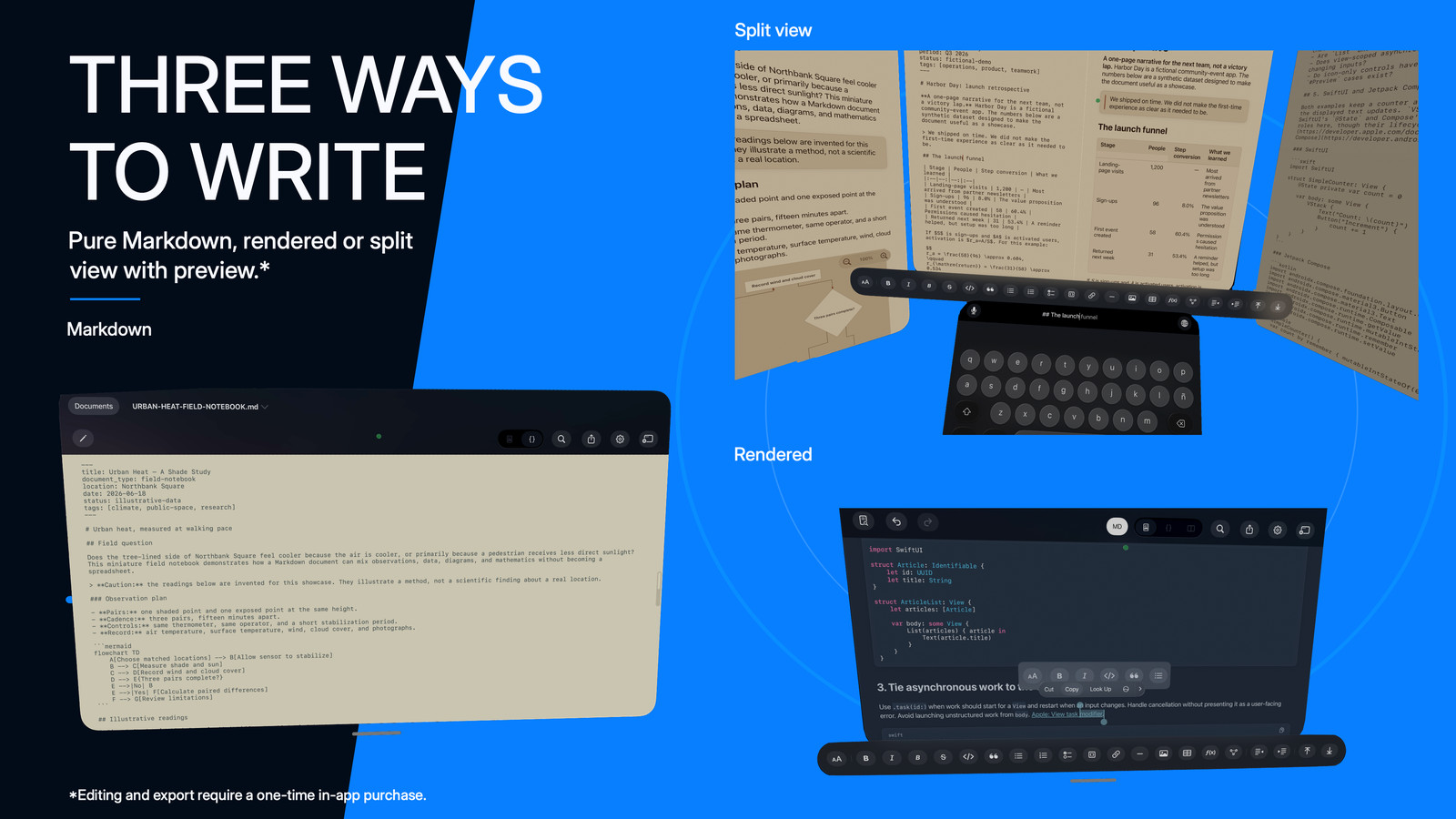
Edit the plan as a rendered document. Refine the Markdown your agent will read. Or keep both in view on Mac, iPad and Apple Vision Pro.
▤ implementation-plan.md
Markdown source
# Agent handoff plan

Review the plan **before the next step**.

## Review checklist

- [x] Read AGENTS.md
- [x] Check the proposed changes
- [ ] Refine the next step

> The agent can draft. You decide what ships.
Rendered document
Agent handoff plan
Review the plan before the next step.
Review checklist
✓ Read AGENTS.md
✓ Check the proposed changes
Refine the next step
The agent can draft. You decide what ships.
Interactive illustration · not an app screenshotRendered: the document, without the syntax.
Try the modes above. Use Tab to reach each mode, then Enter or Space to switch. Split also fits an open, landscape iPhone Duo; not a standard iPhone display.
Quick Look · Mac
A Space bar. A better preview.
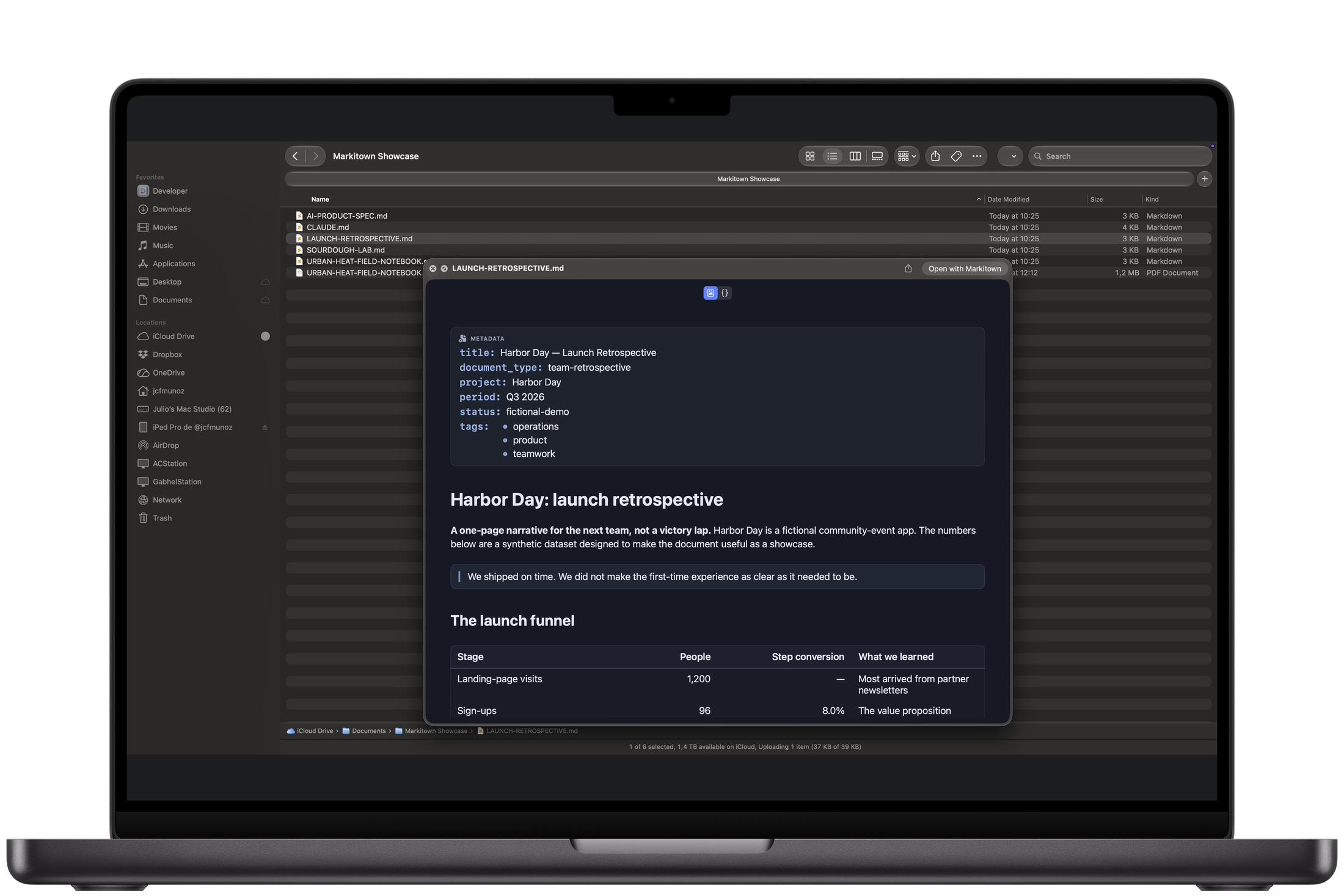
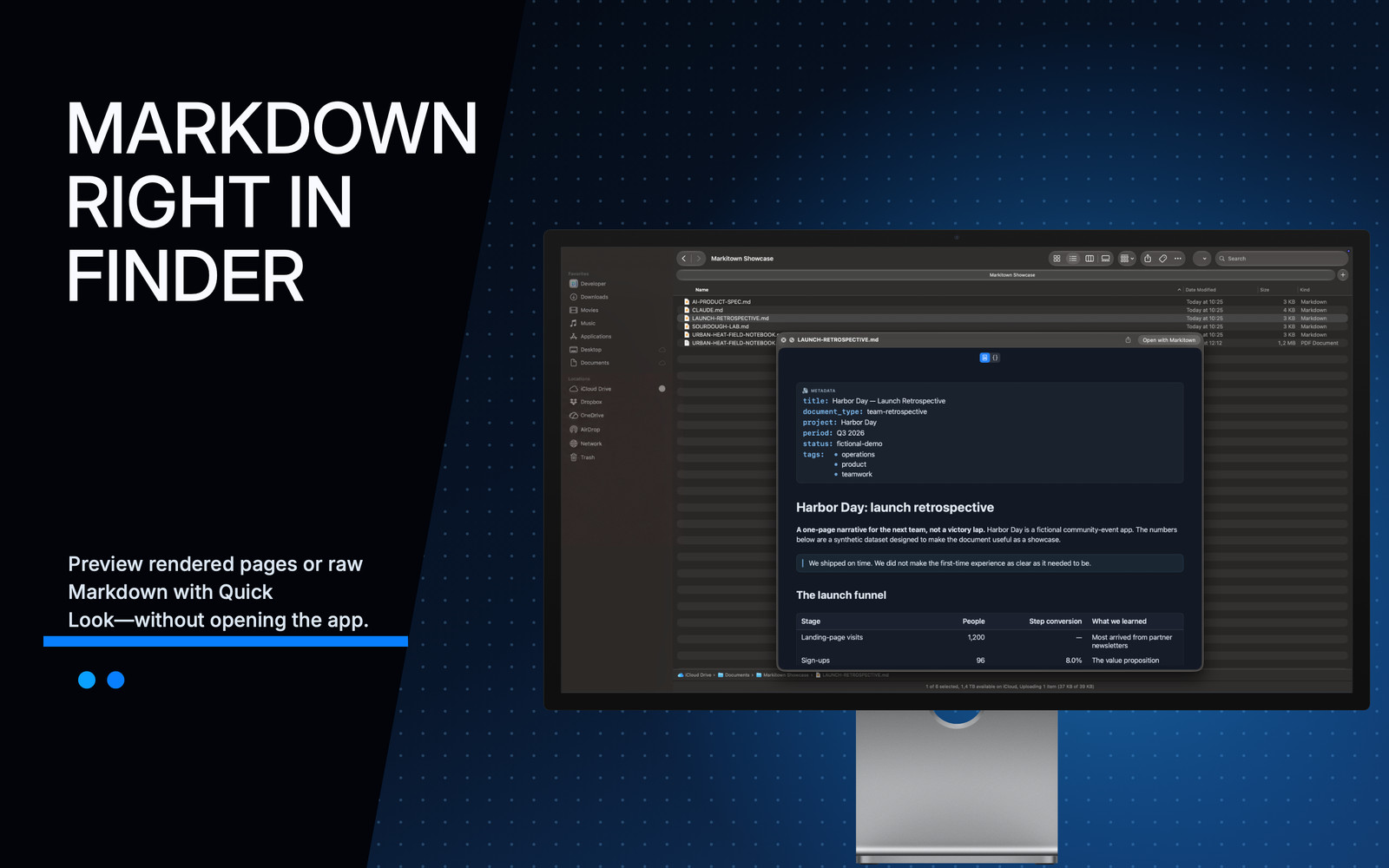
Select a skill, an AGENTS.md, a plan or any Markdown file in the Finder. Press Space. Read it rendered, switch to source, or select a passage—without opening a document window.
Included with the free reader. Space
Mac · A Markdown document rendered in Finder Quick Look.
GitHub Flavored Markdown
Give the details some structure.
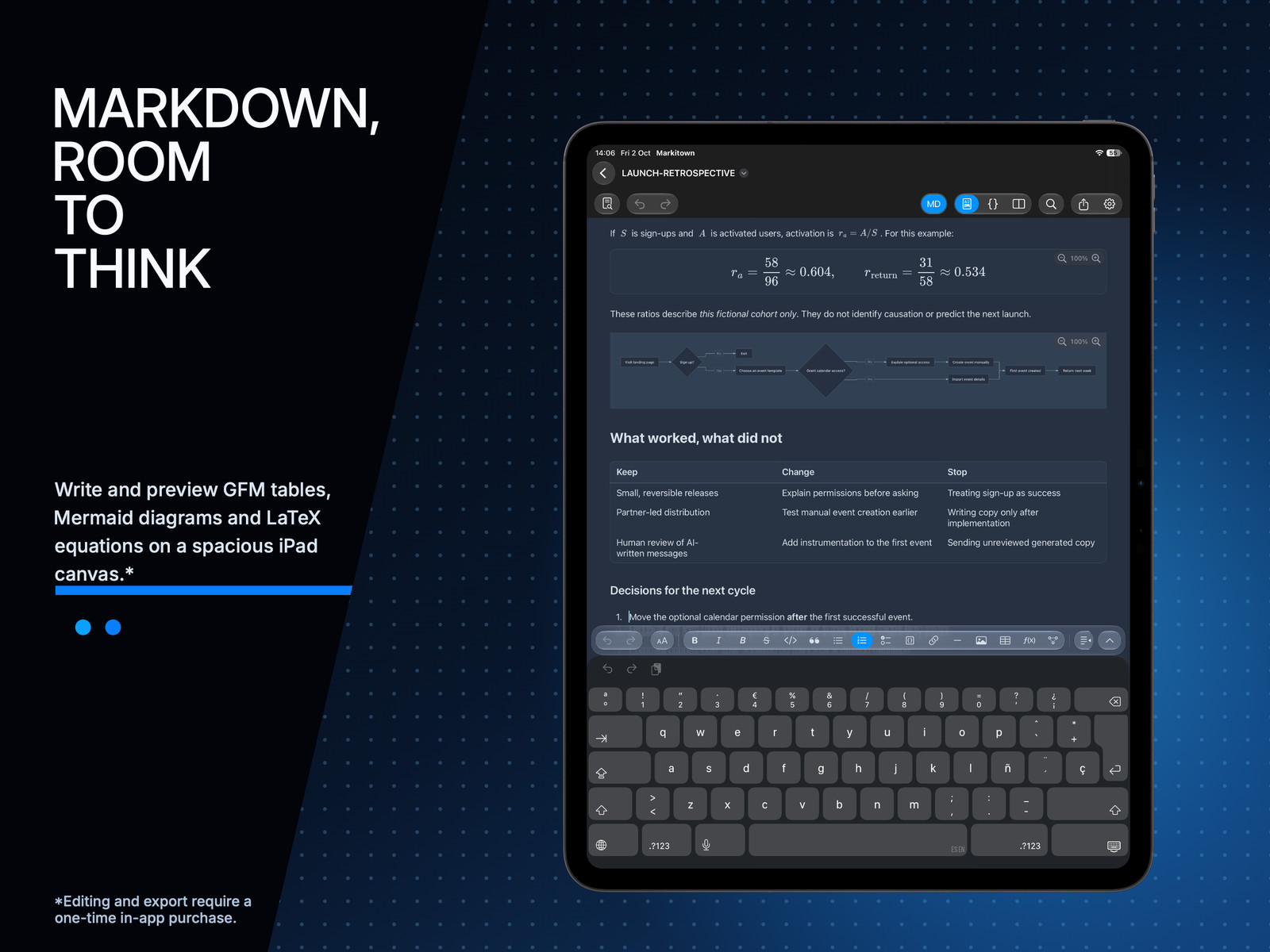
Compare the options in a generated spec. Follow the tasks in an implementation plan. GFM tables and checklists keep the details readable while you review.
Read tables and tasks for free. Create and edit them with the full version.
iPhone · A data table rendered inside a Markdown document.
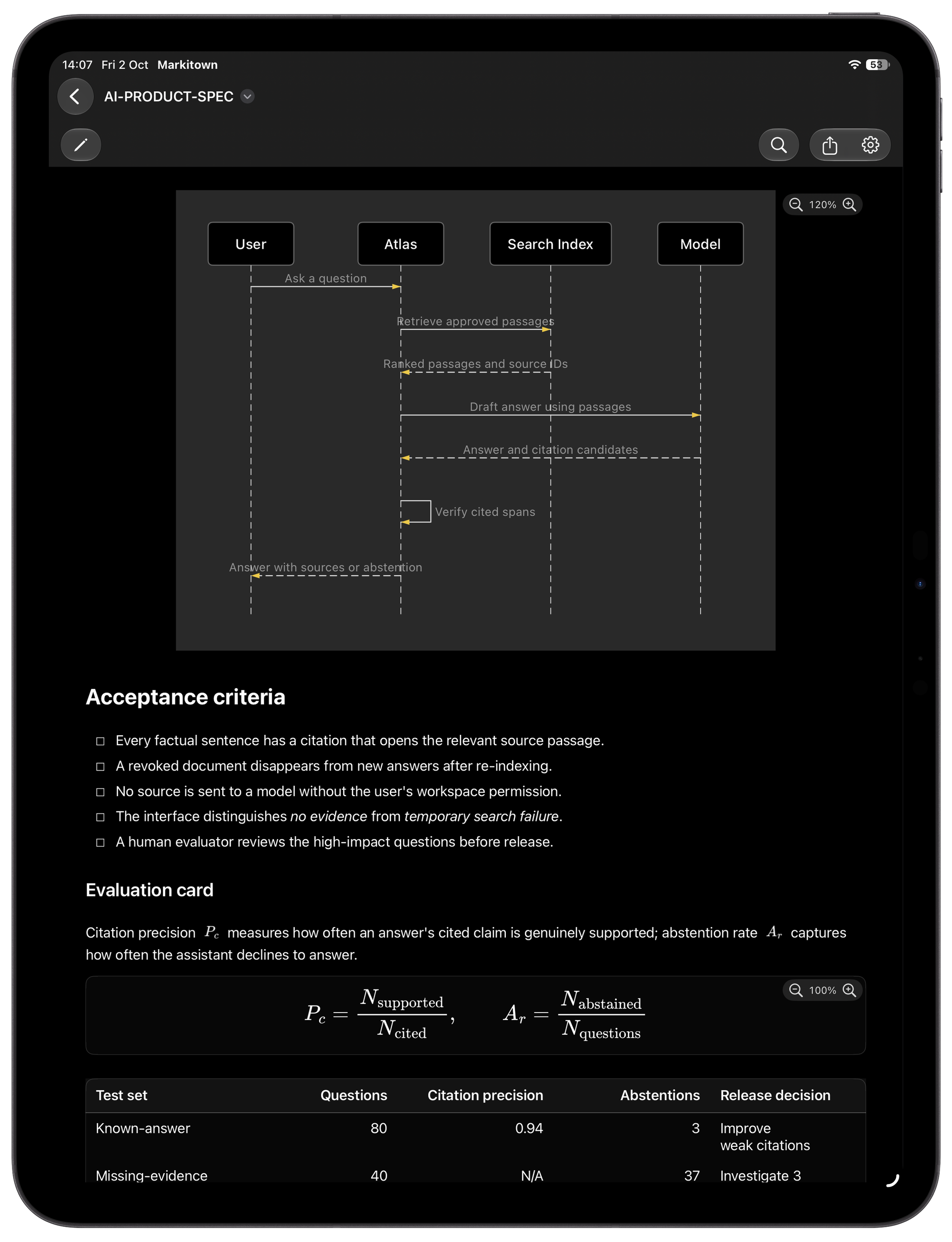
Mermaid diagrams
See how it all connects.
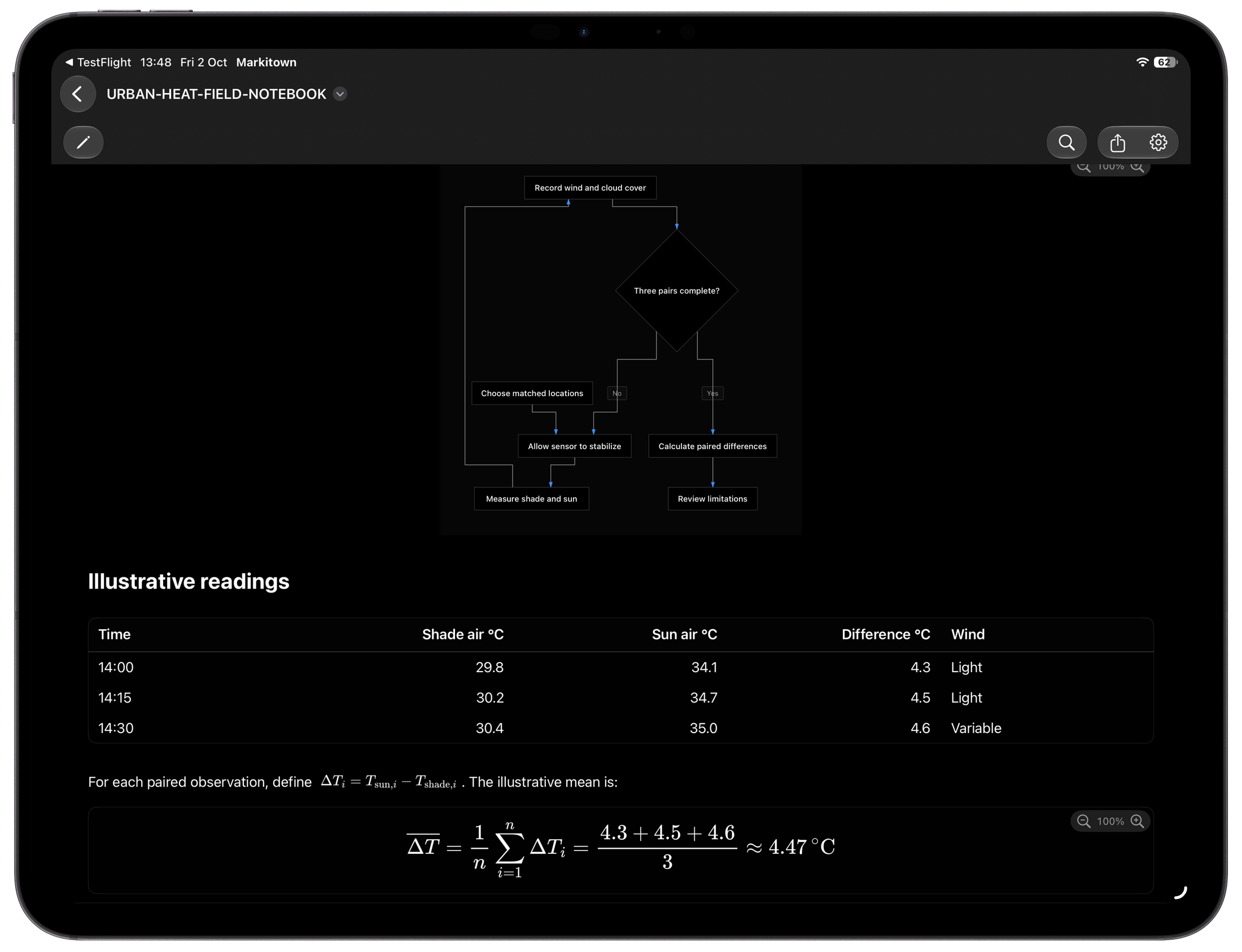
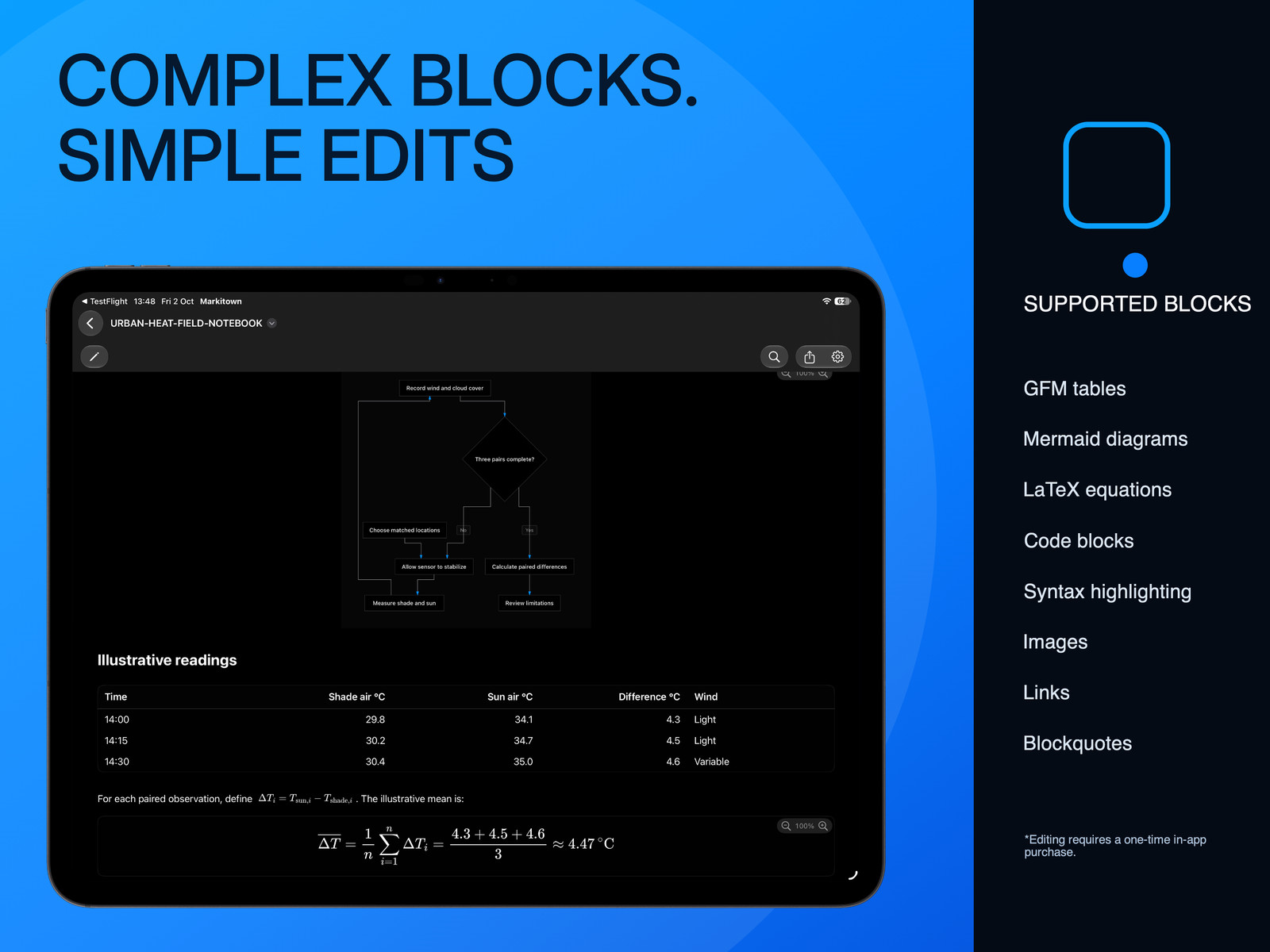
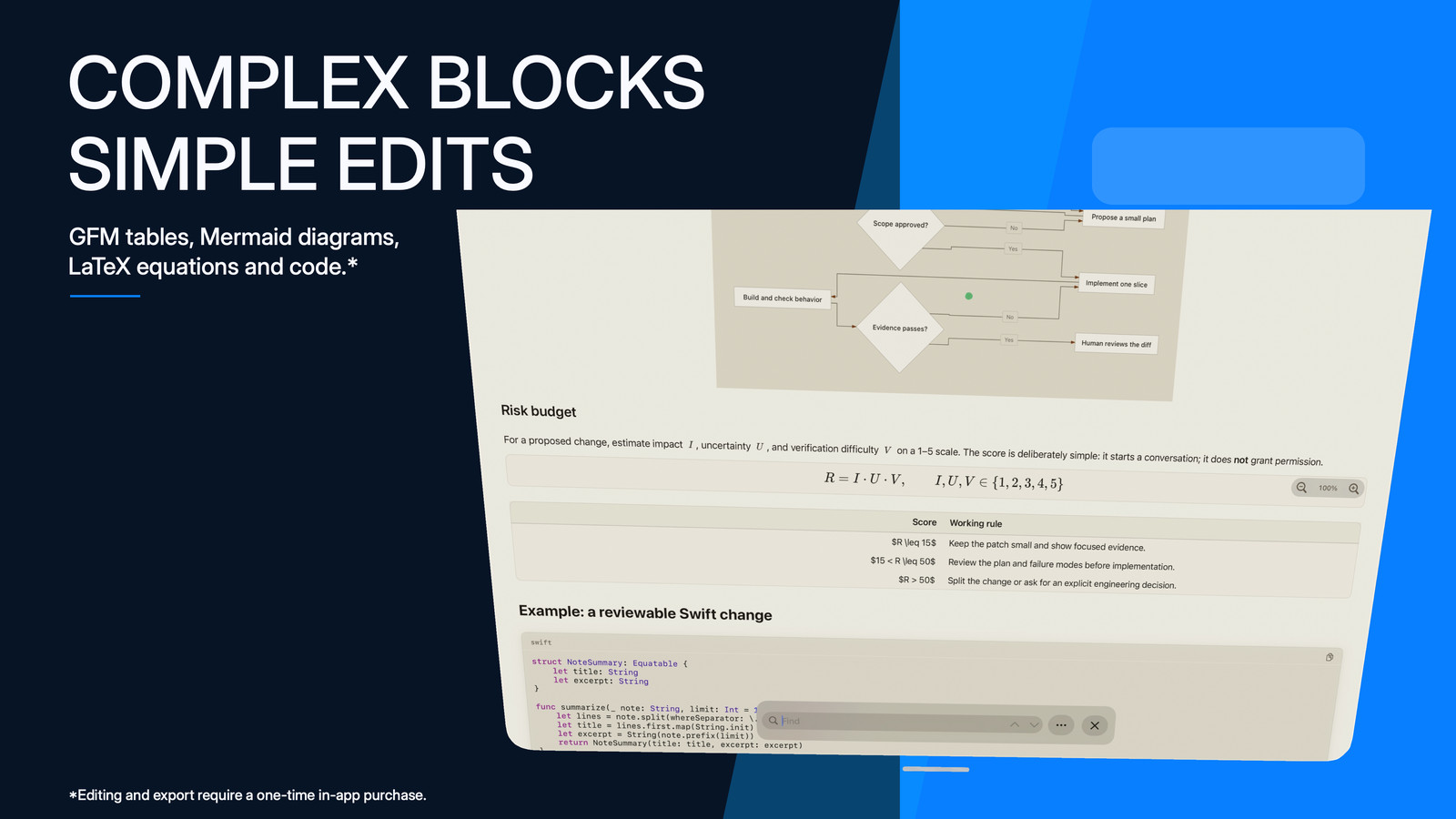
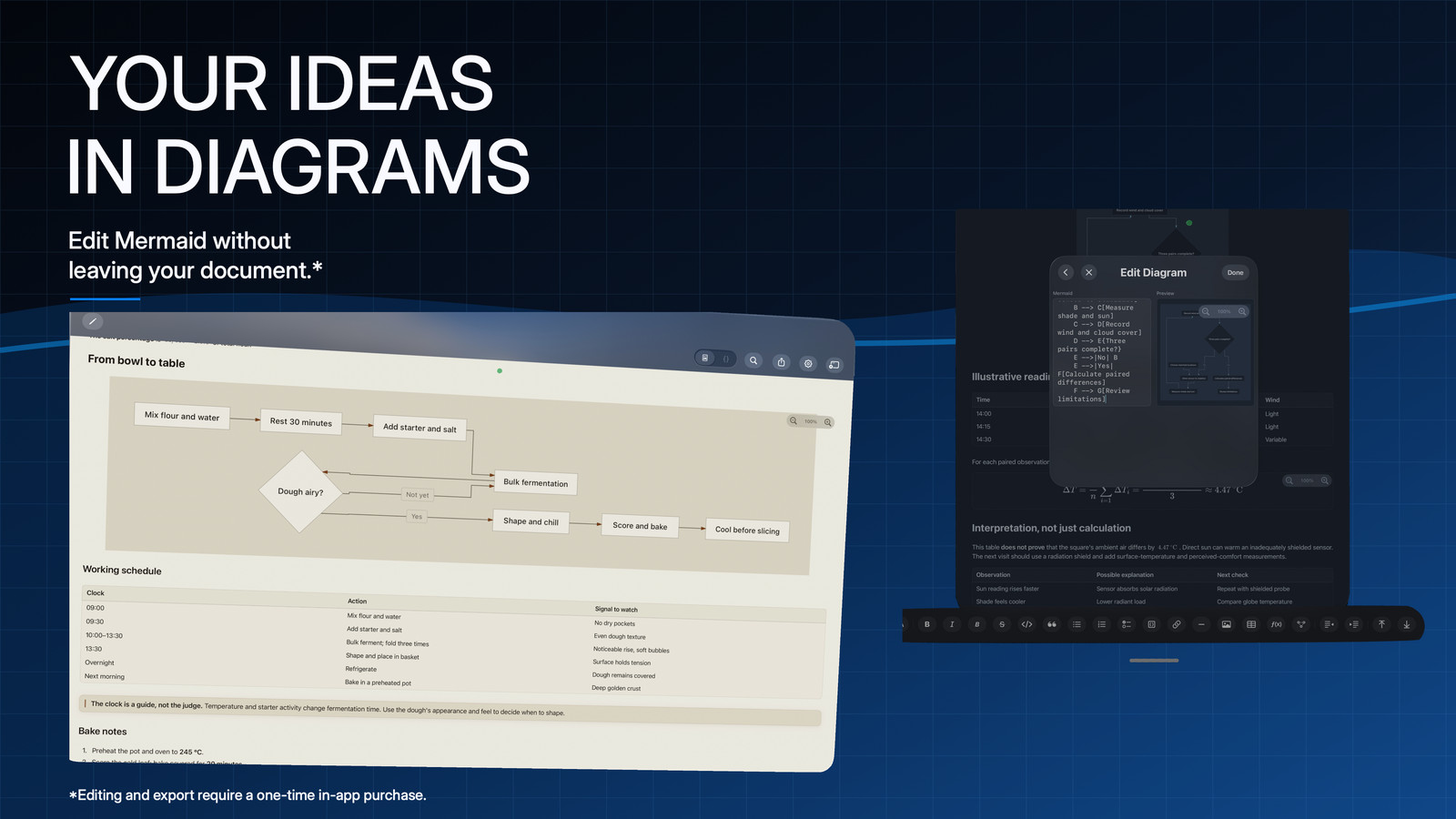
Follow the architecture in a plan or the flow behind an explanation. Markitown renders supported Mermaid diagrams right inside the Markdown your agent creates.
Diagram source stays in the Markdown.
iPad · A rendered Mermaid diagram and document table.
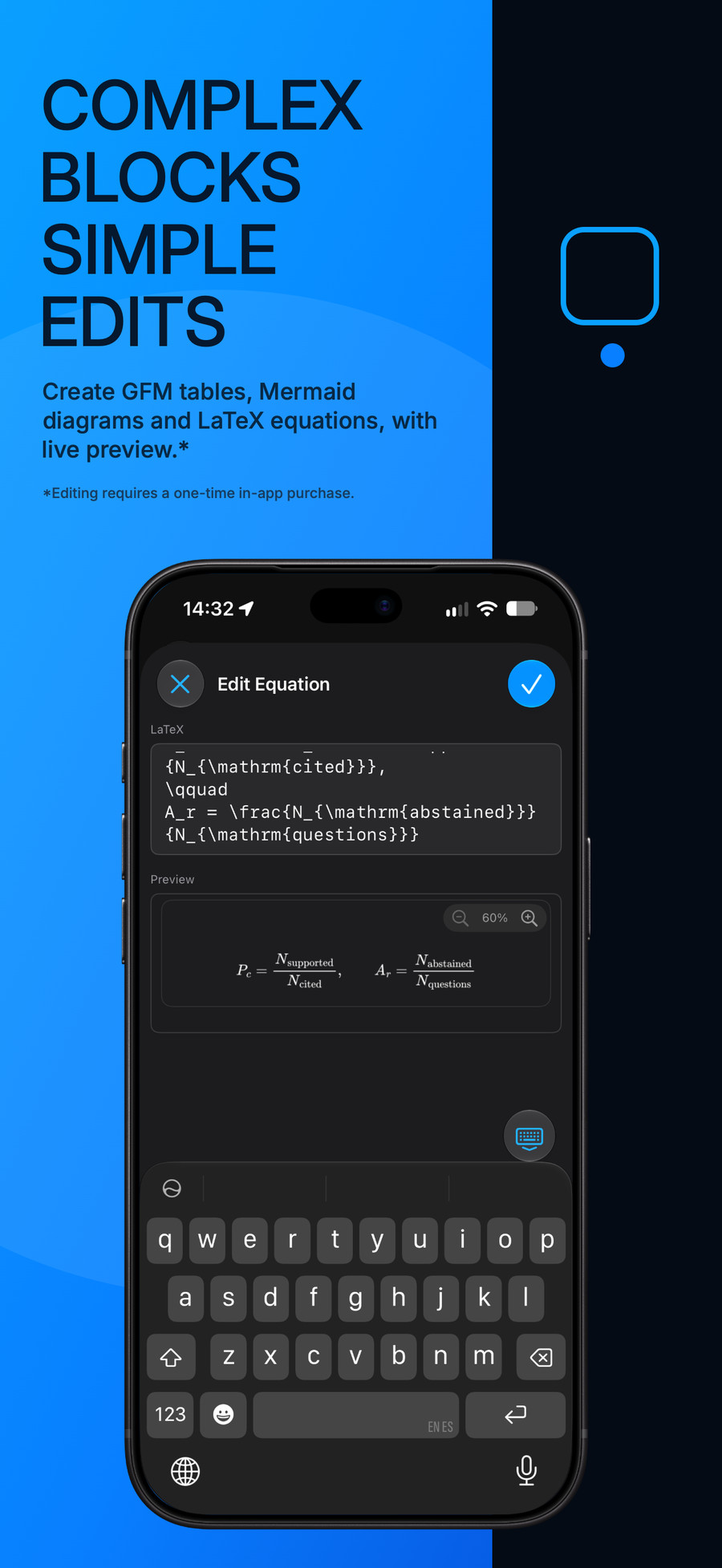
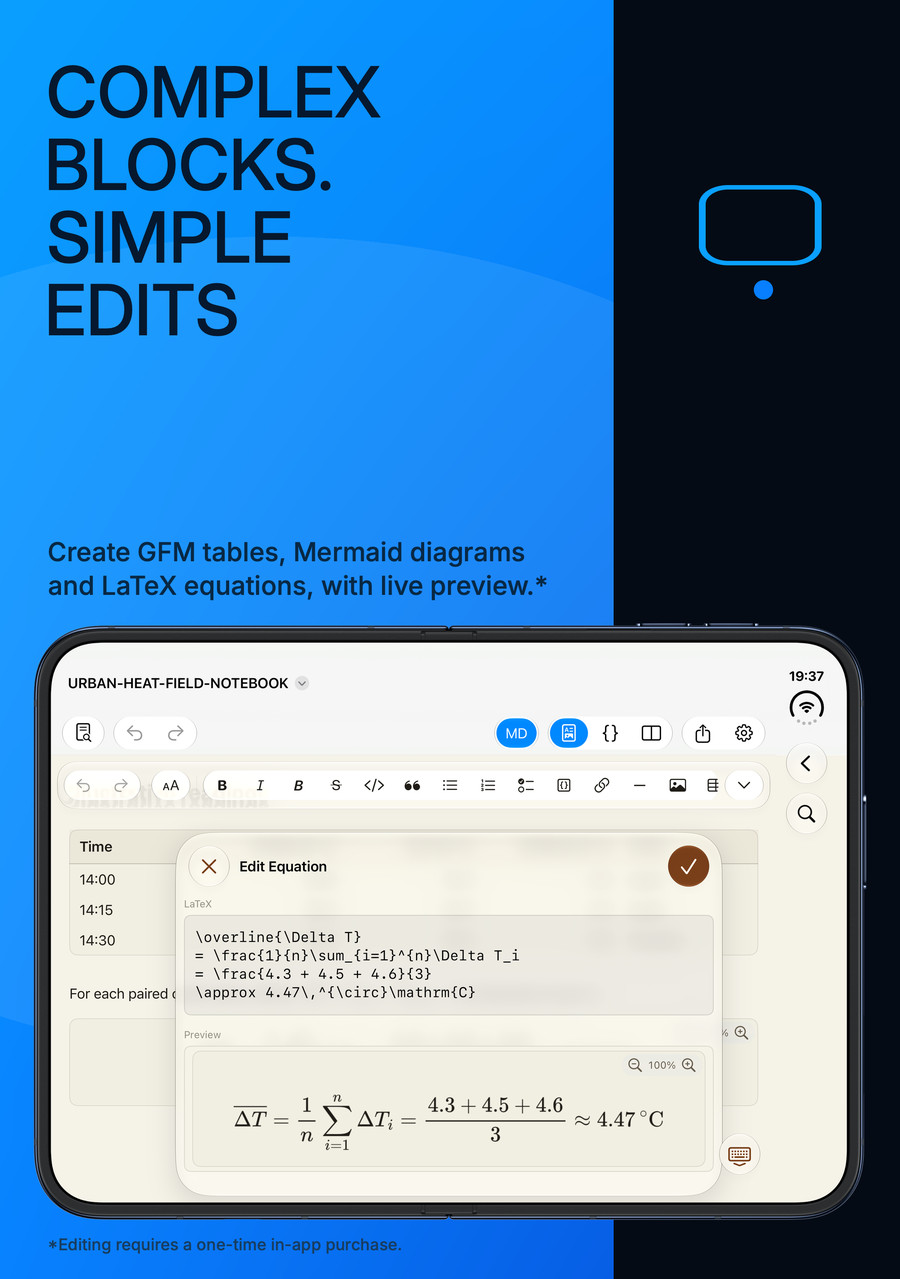
LaTeX equations
A clear line of reasoning.
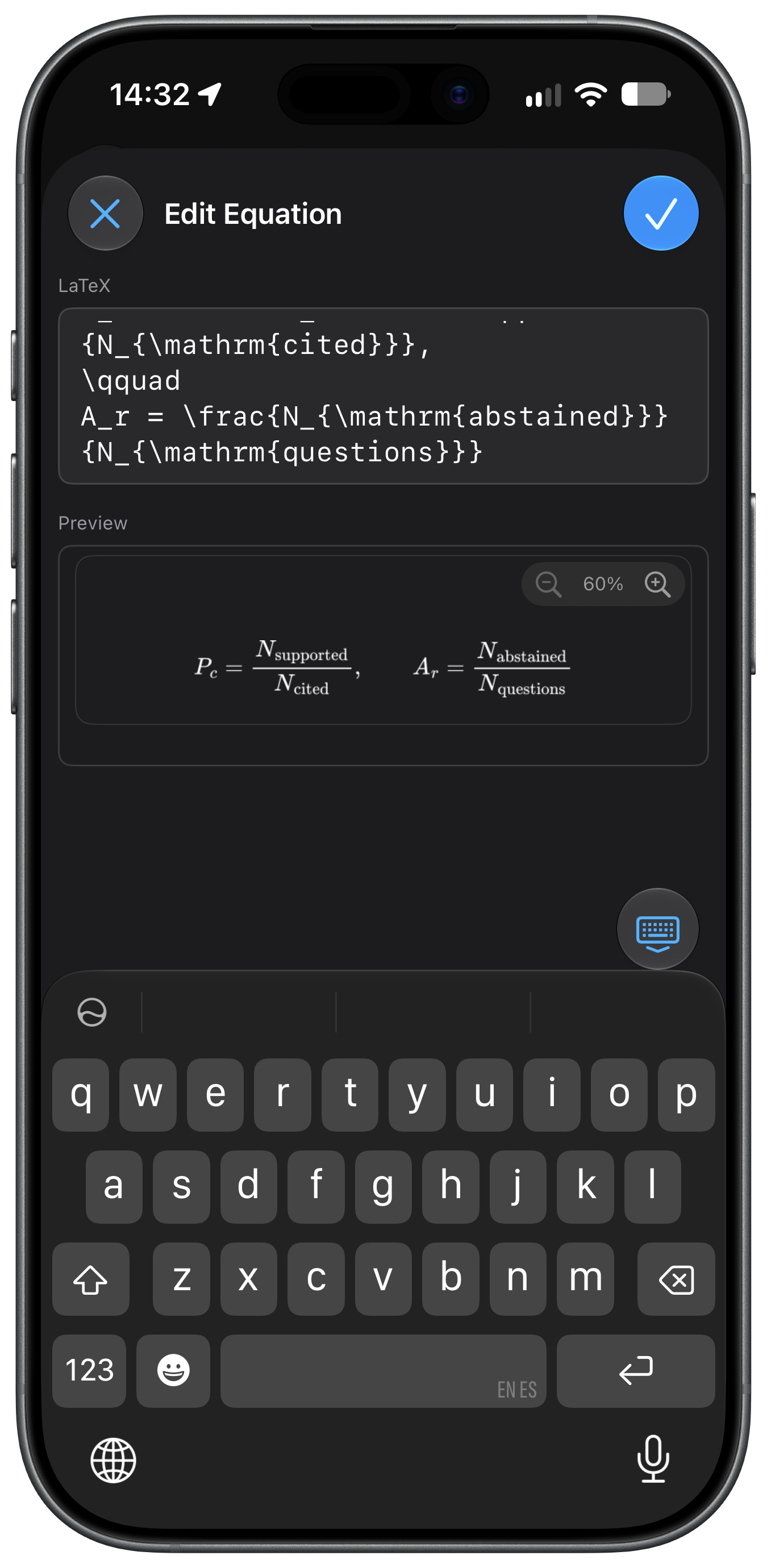
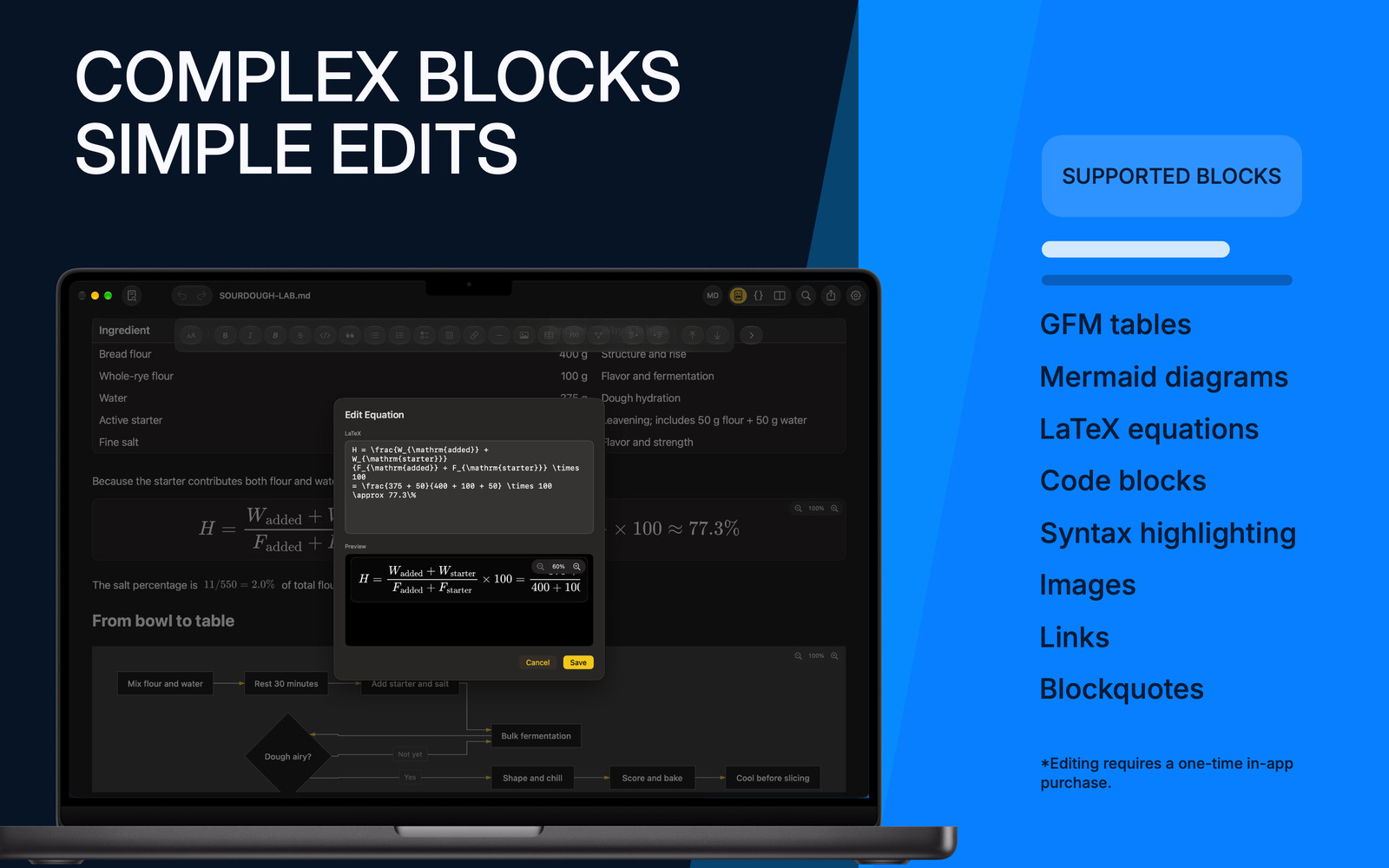
From a quick expression to a full display equation. Read beautifully typeset mathematics, then use the full version to edit the LaTeX behind it.
Inline and display equations. Part of the document.
iPhone · LaTeX equation source with its rendered preview.
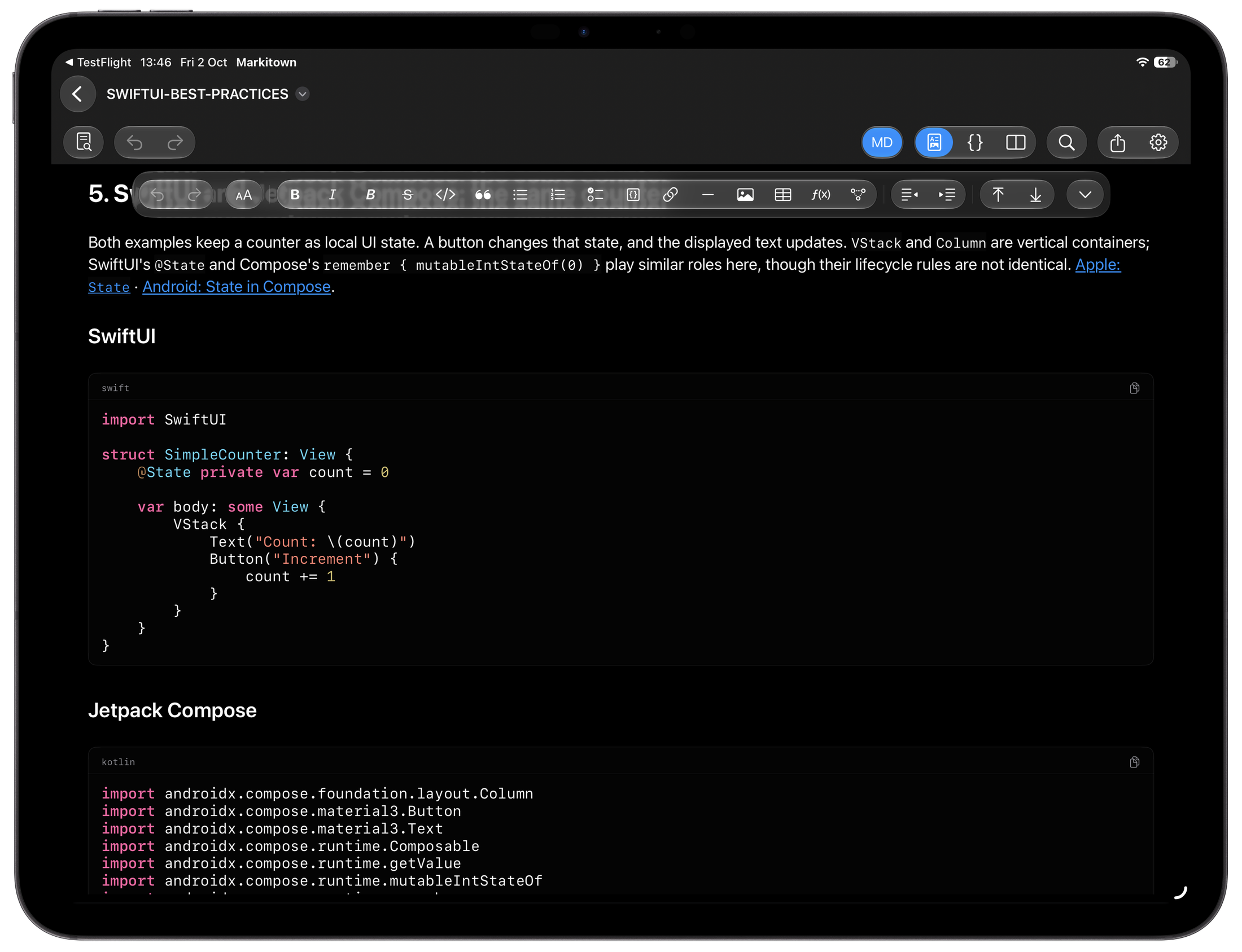
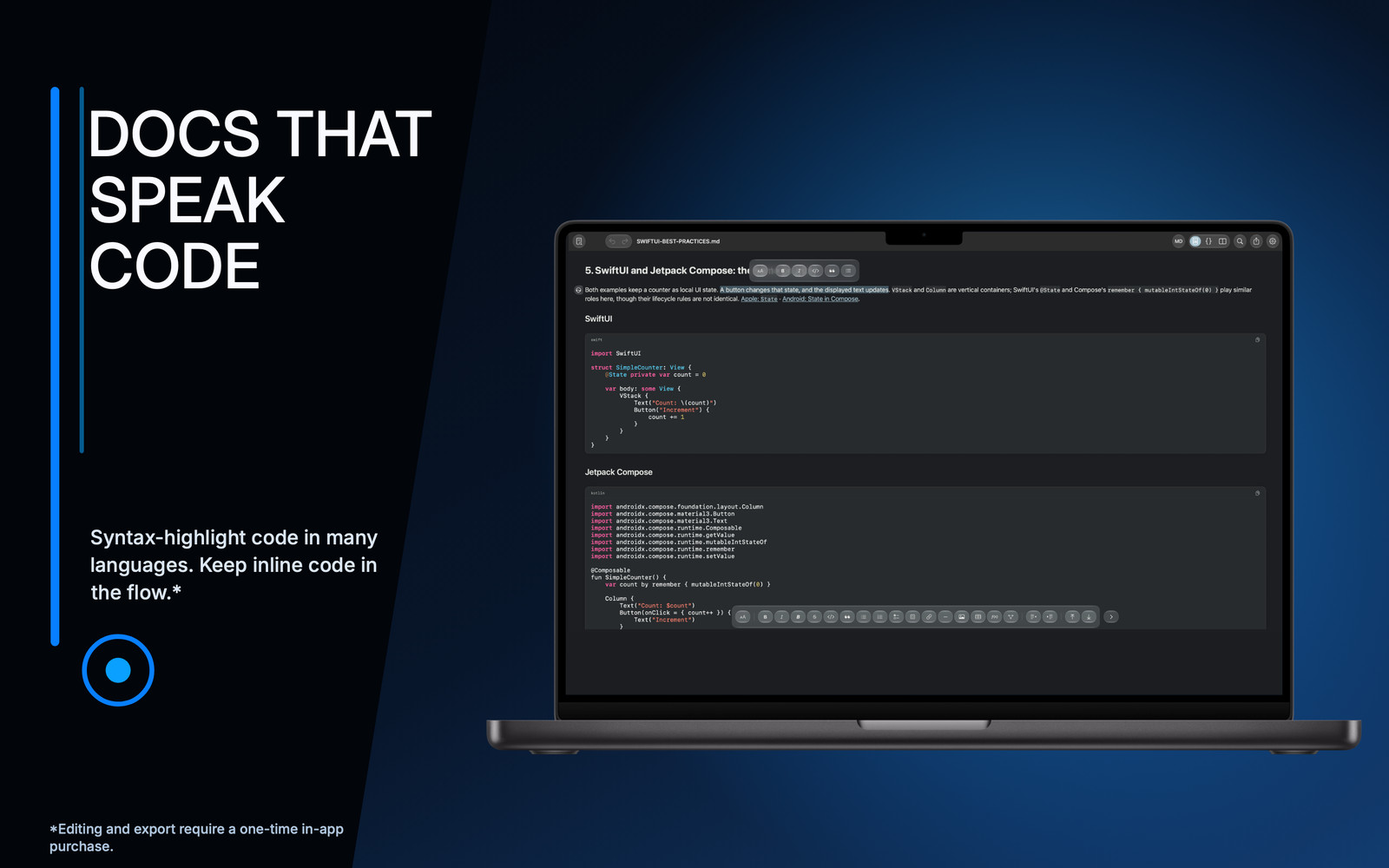
Syntax-highlighted code
Let the code speak clearly.
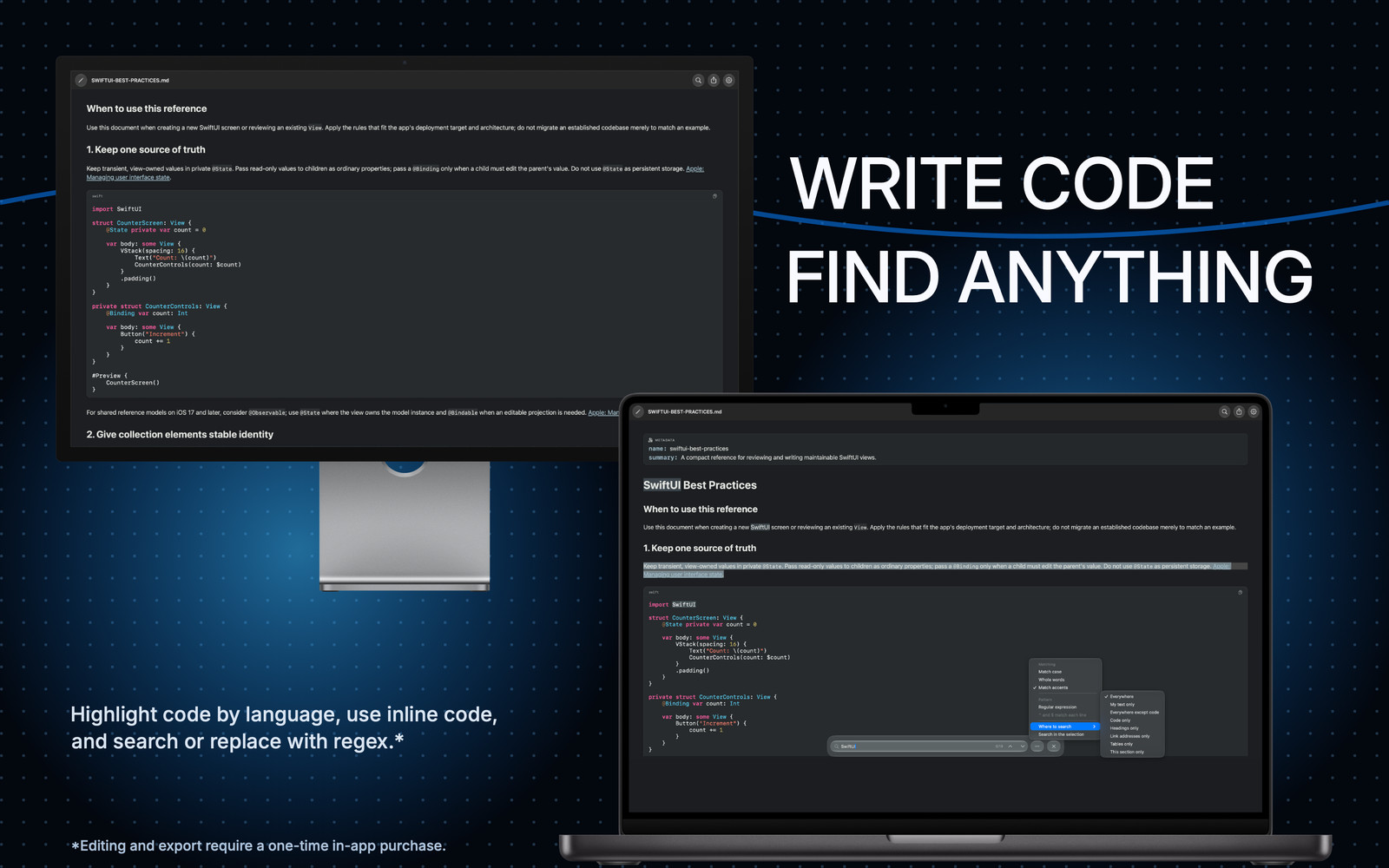
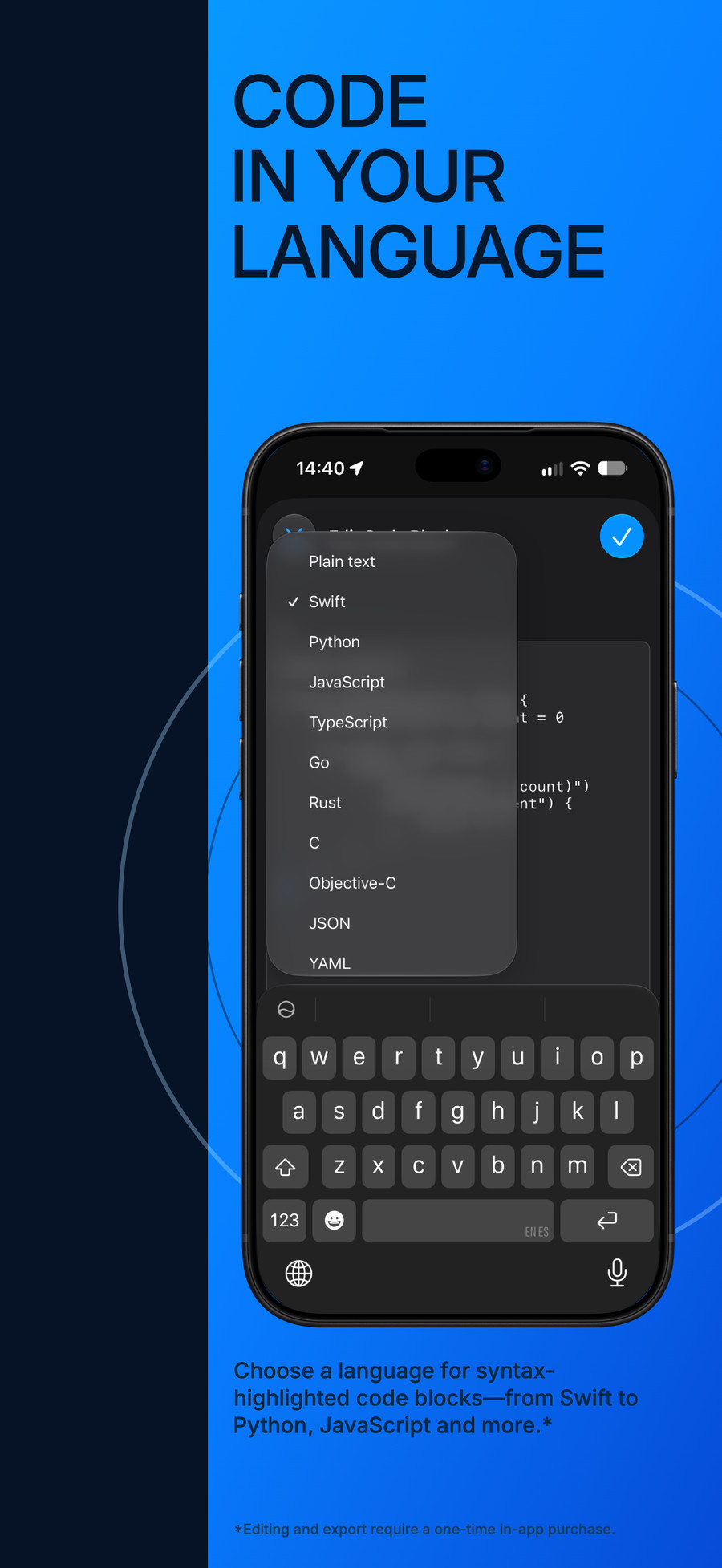
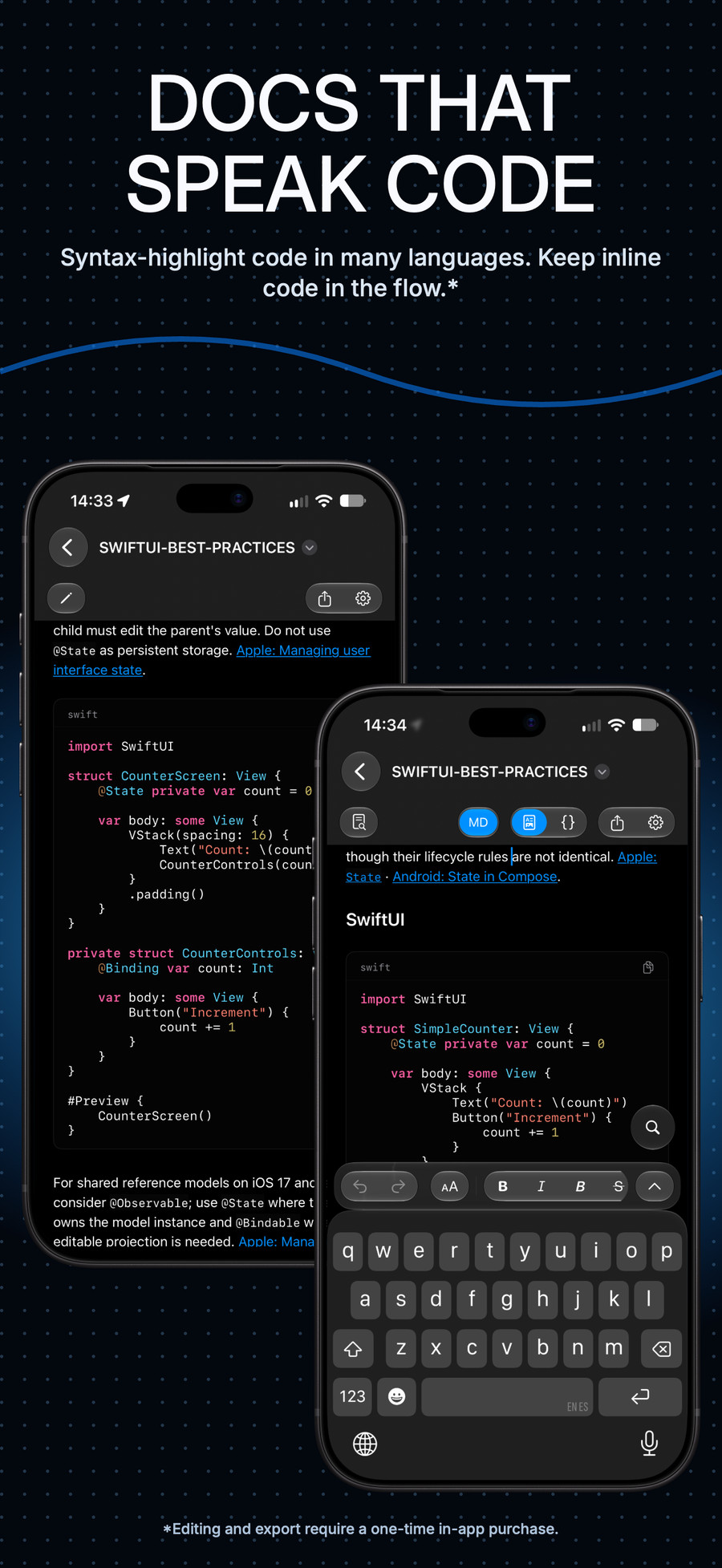
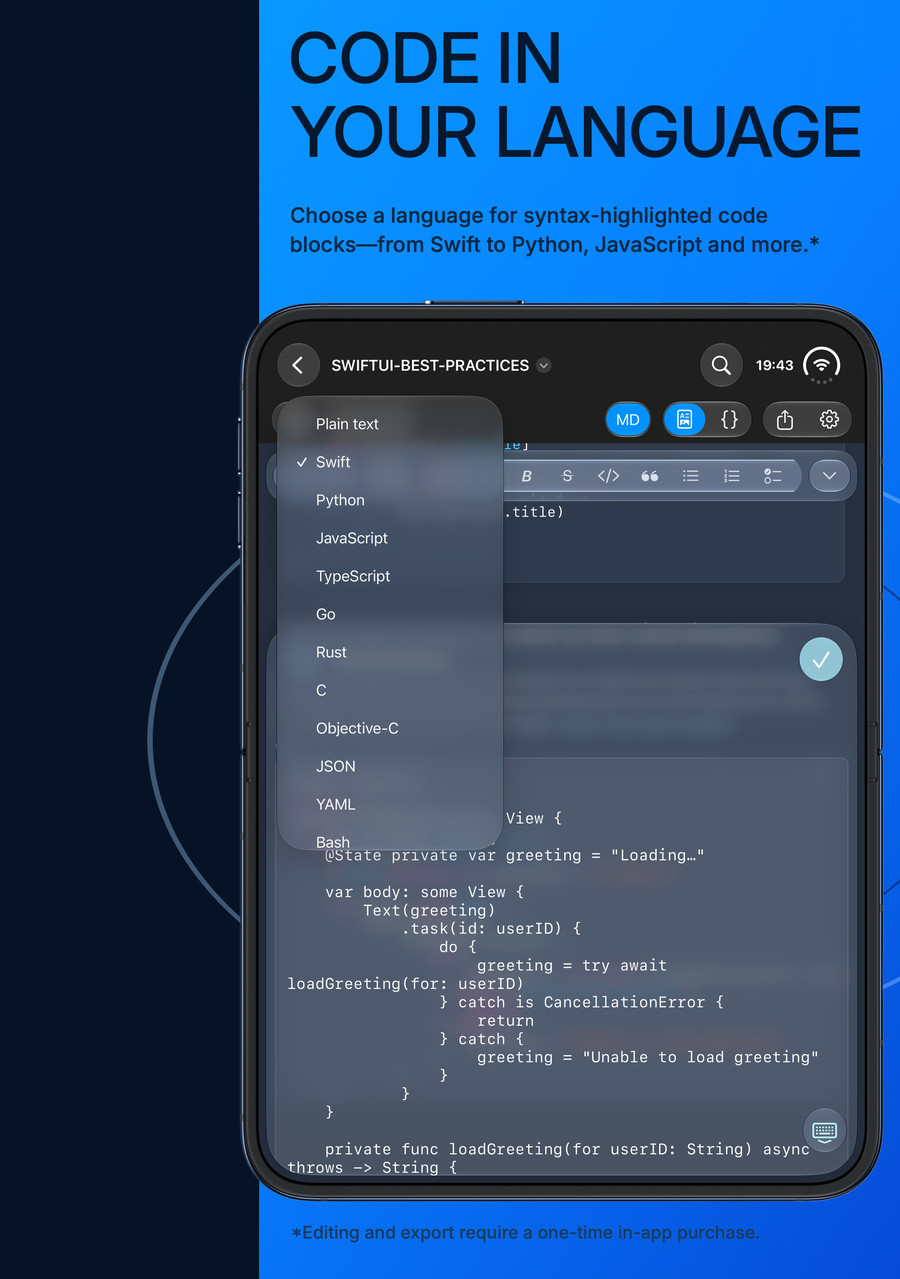
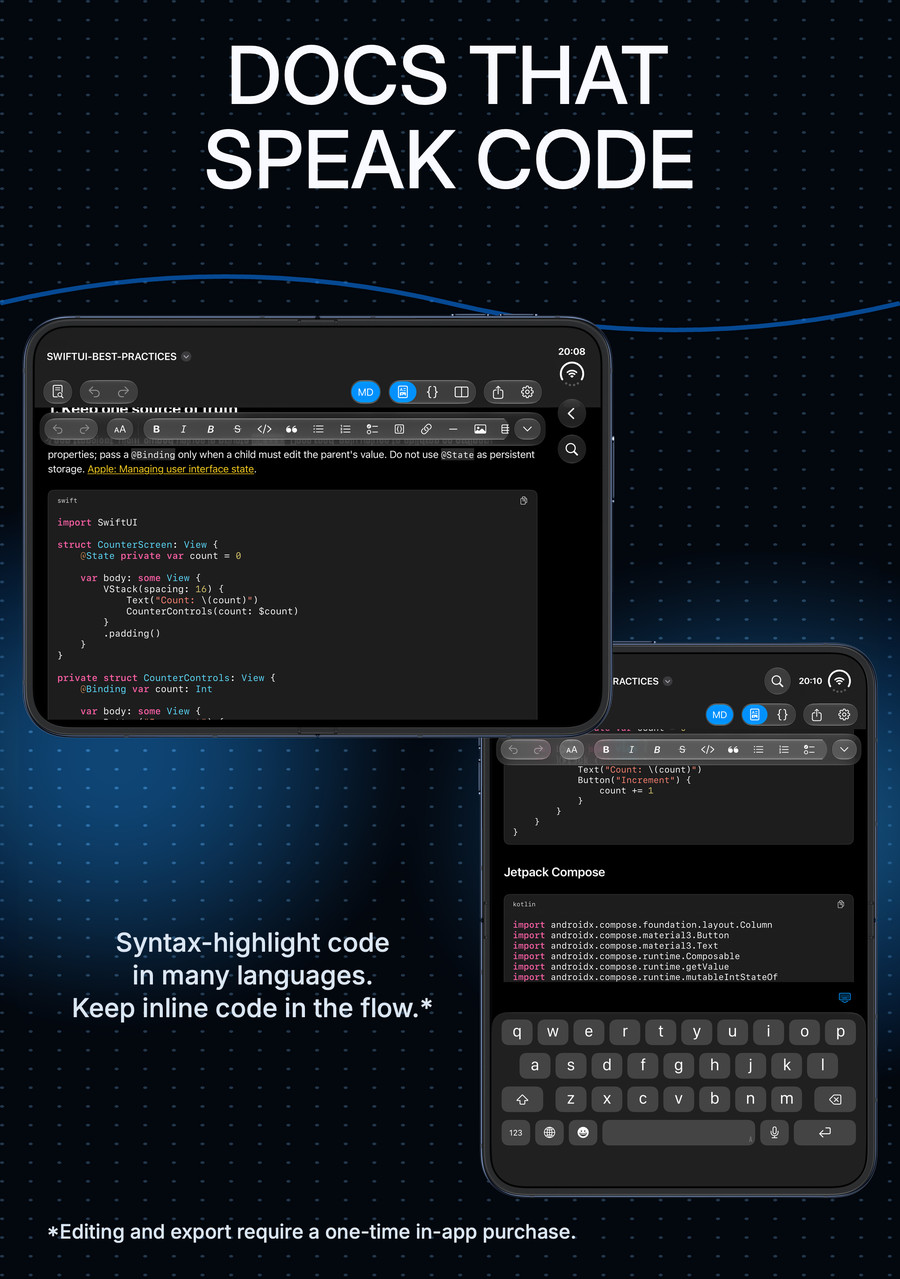
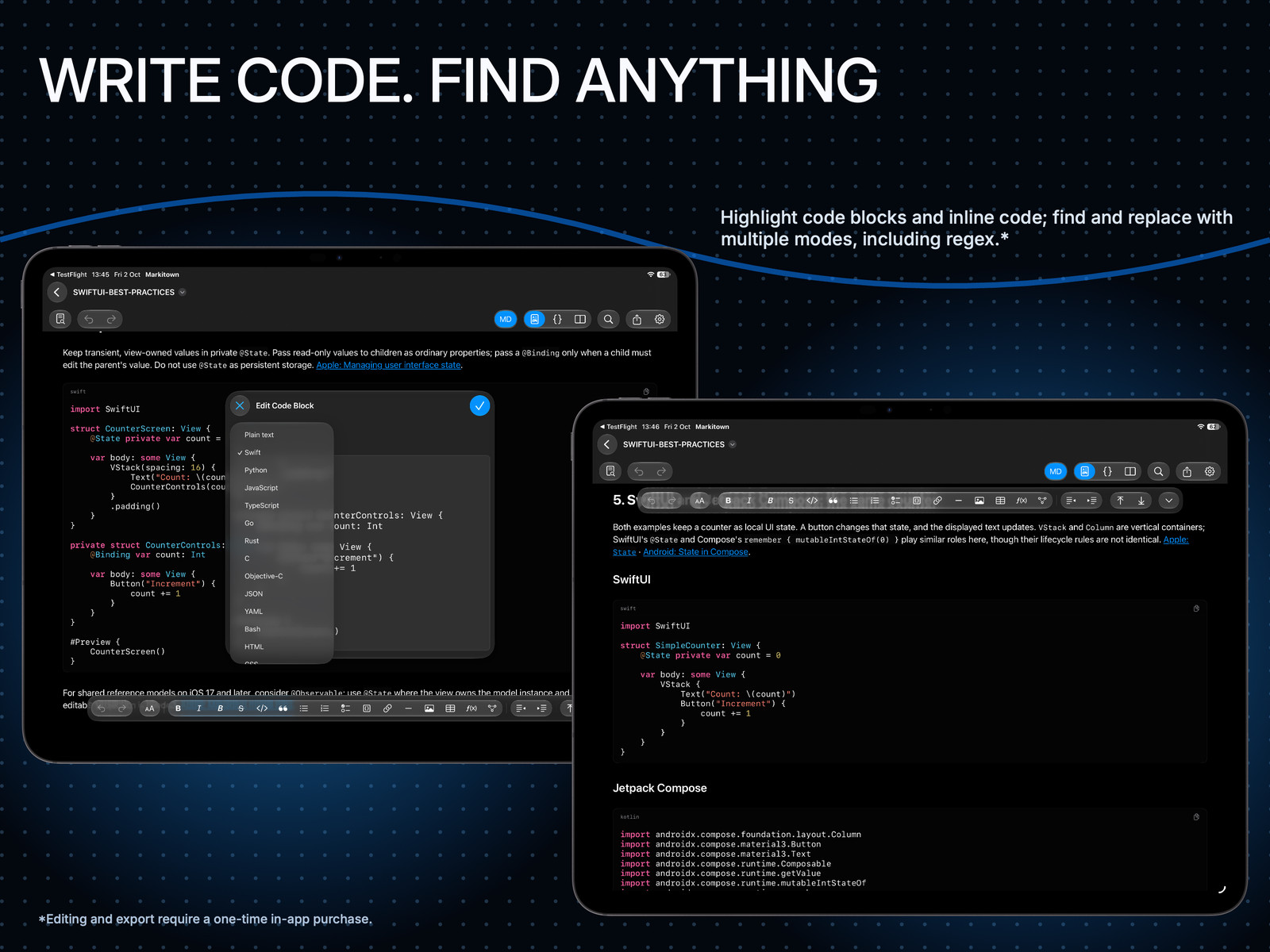
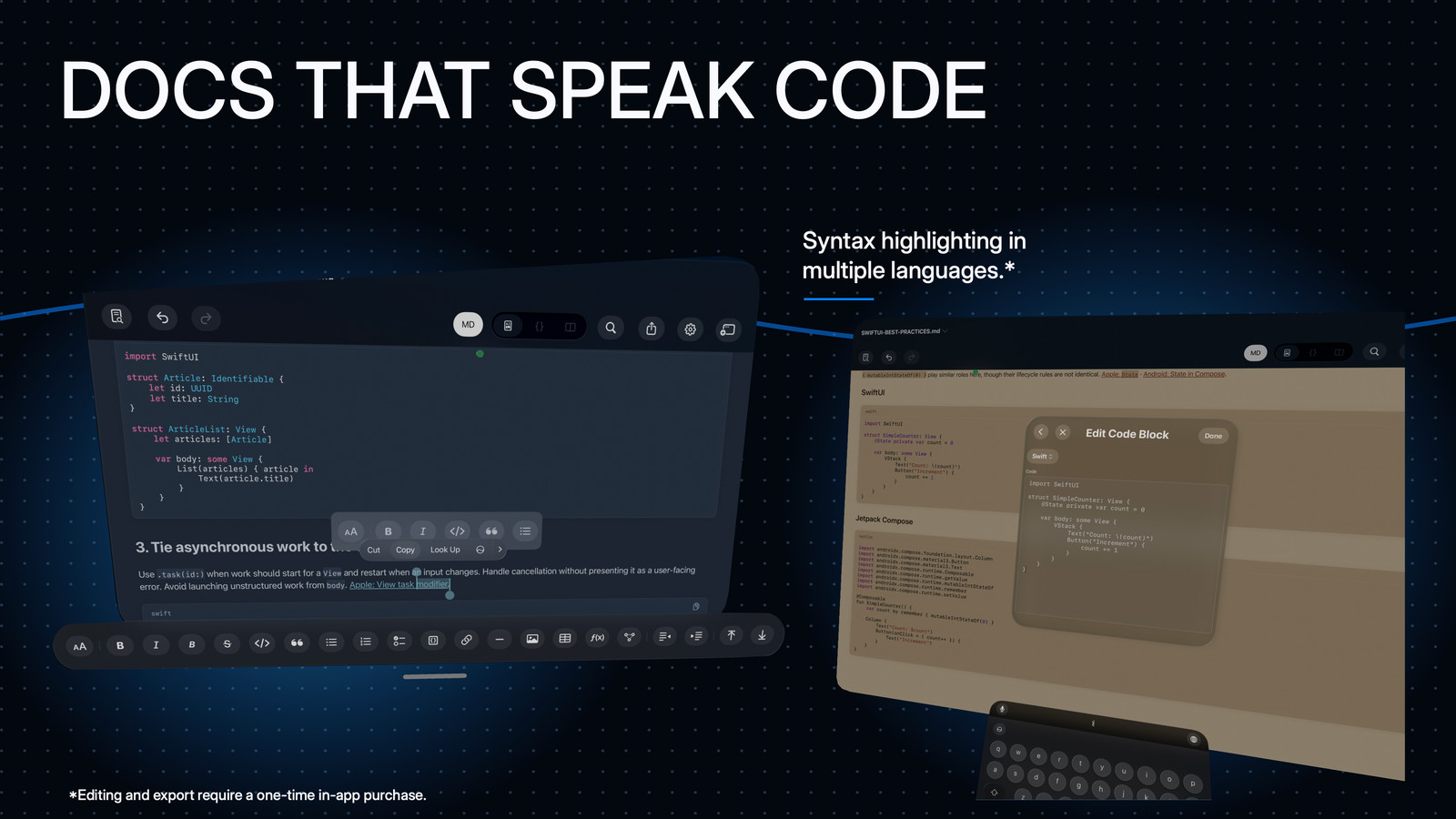
Review the Swift, Python, JSON or other code snippets inside a plan or report. Highlighted code stays part of the explanation, with a copy button when you need the source.
Read highlighted blocks for free. Write and edit with the full version.
iPad · SwiftUI and Jetpack Compose code blocks with syntax highlighting.
Accessibility, by design
Markitown. For everyone.
Care in the details. Choice in how you read. We’ve put thought into how Markitown works with Apple’s accessibility features, so more people can read, navigate and work with their documents.
A free document checker helps you find accessibility issues in your Markdown. The full version adds tagged PDF and semantic HTML export. Read the accessibility statement ↗
iPad · A Mermaid diagram with its accessible descriptive notes.
Seven accessibility features declared in App Store Connect
VoiceOver
Read and navigate your documents with Apple’s screen reader.
Voice Control
Use your voice to navigate and interact with the app.
Larger Text
More room for reading, with larger text on iPhone, iPad and Apple Vision Pro.
Dark Interface
A dark appearance when that is the way you prefer to read.
Sufficient Contrast
Text and controls designed to stay clear against their backgrounds.
Differentiate Without Color Alone
Meaning that does not depend on color alone.
Reduced Motion
Respects your preference for less motion and animation.
Markitown has been reviewed by Apple. These are its current accessibility declarations in App Store Connect, not an independent certification. Six features are declared across iPhone, iPad, Mac and Apple Vision Pro. Larger Text is declared for iPhone, iPad and Apple Vision Pro; no Mac declaration is currently recorded.
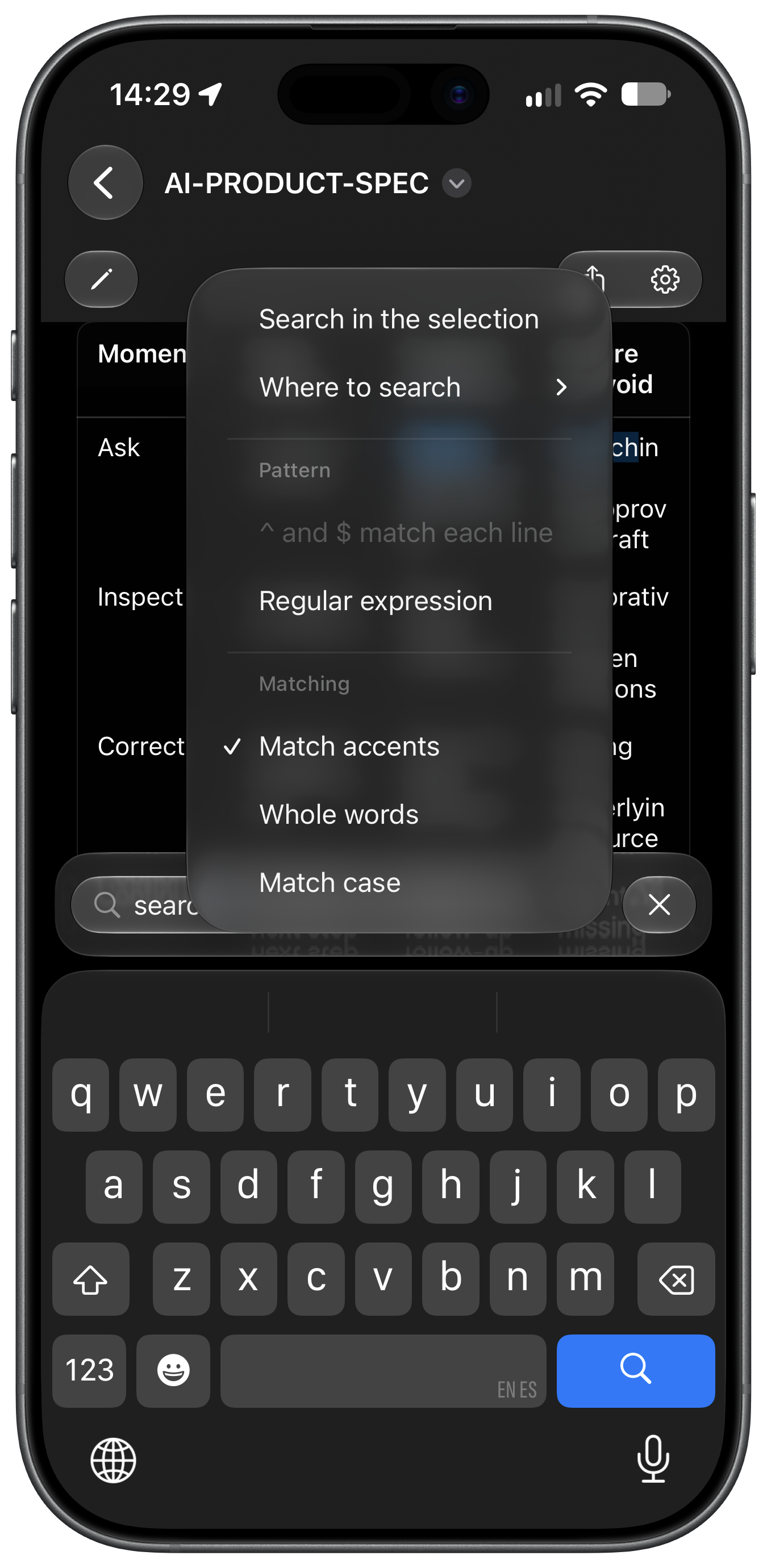
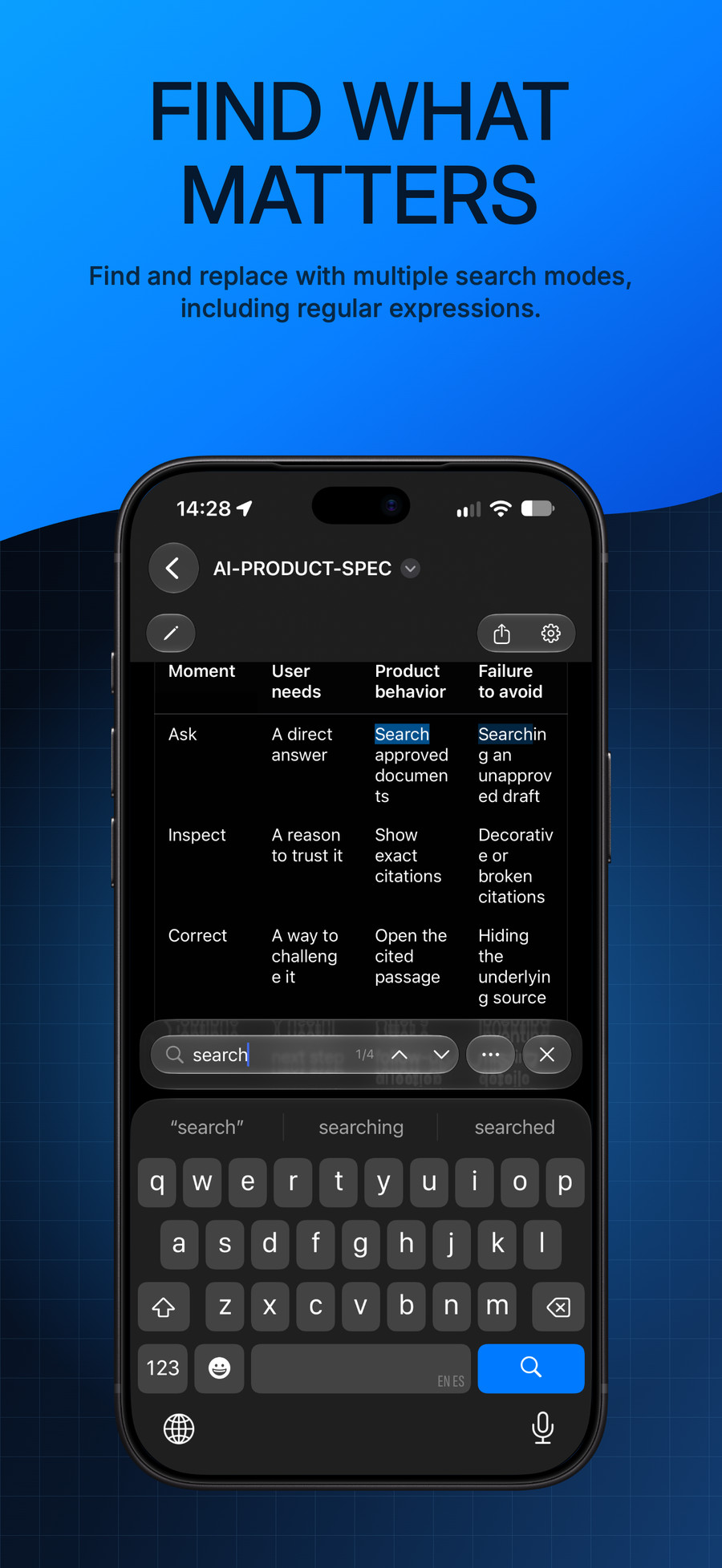
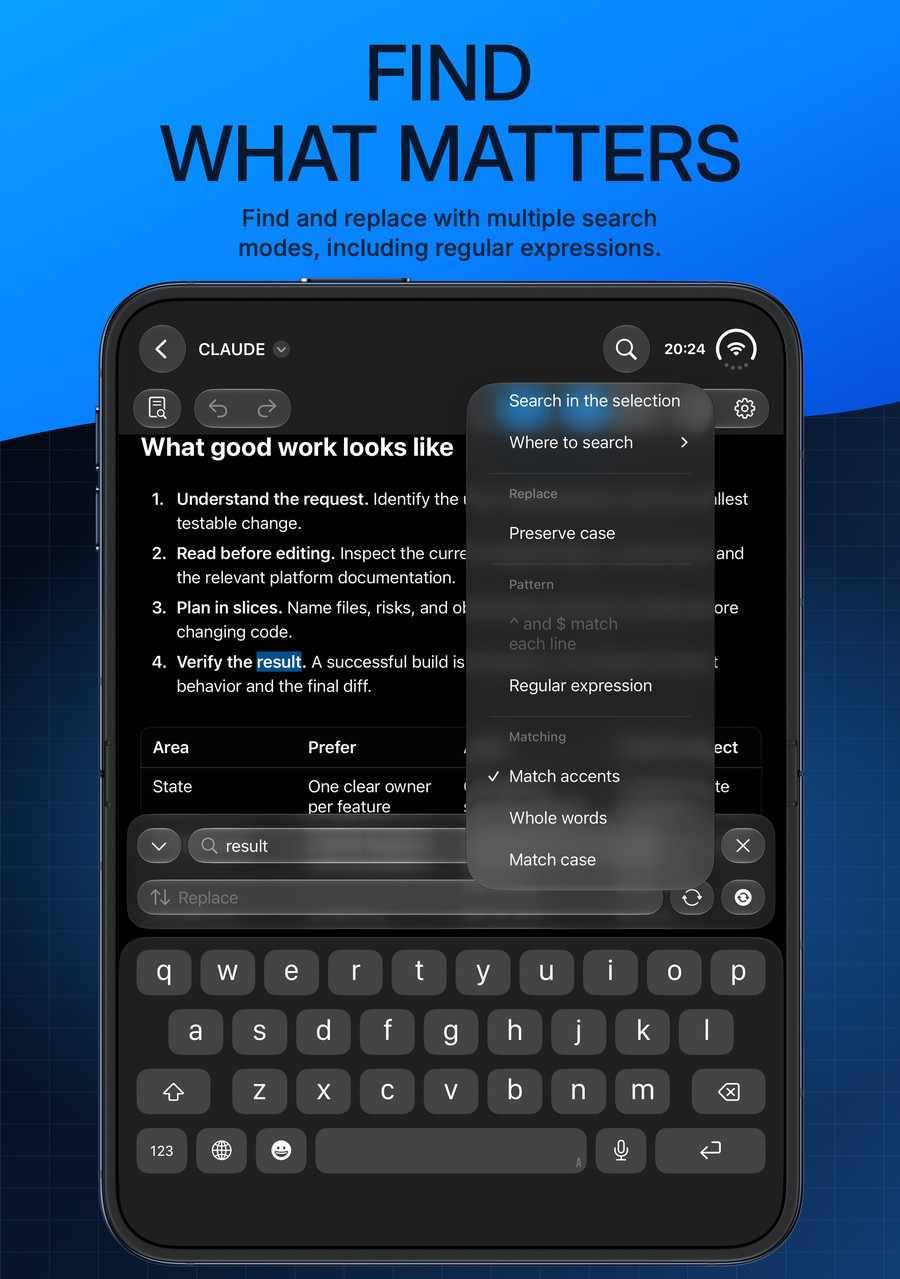
Search & replace
Find the word. Refine the thought.
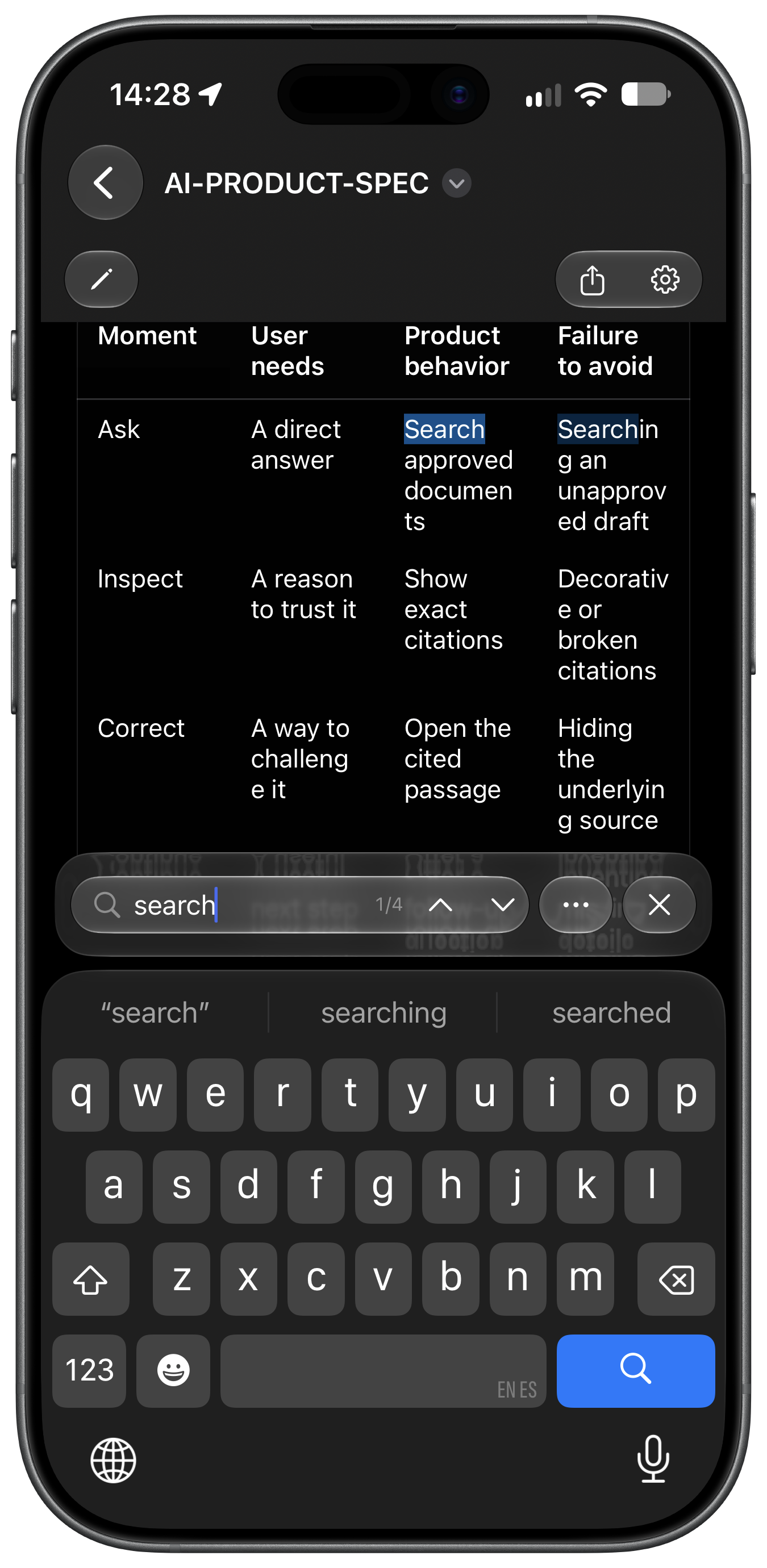
Find text for free, with regular expressions when a simple word search is not enough. Unlock the full version to replace matches and refine your document precisely.
Find—including regex—is free. Replace and Replace All require the full version.
iPhone · Document search options and the native keyboard.
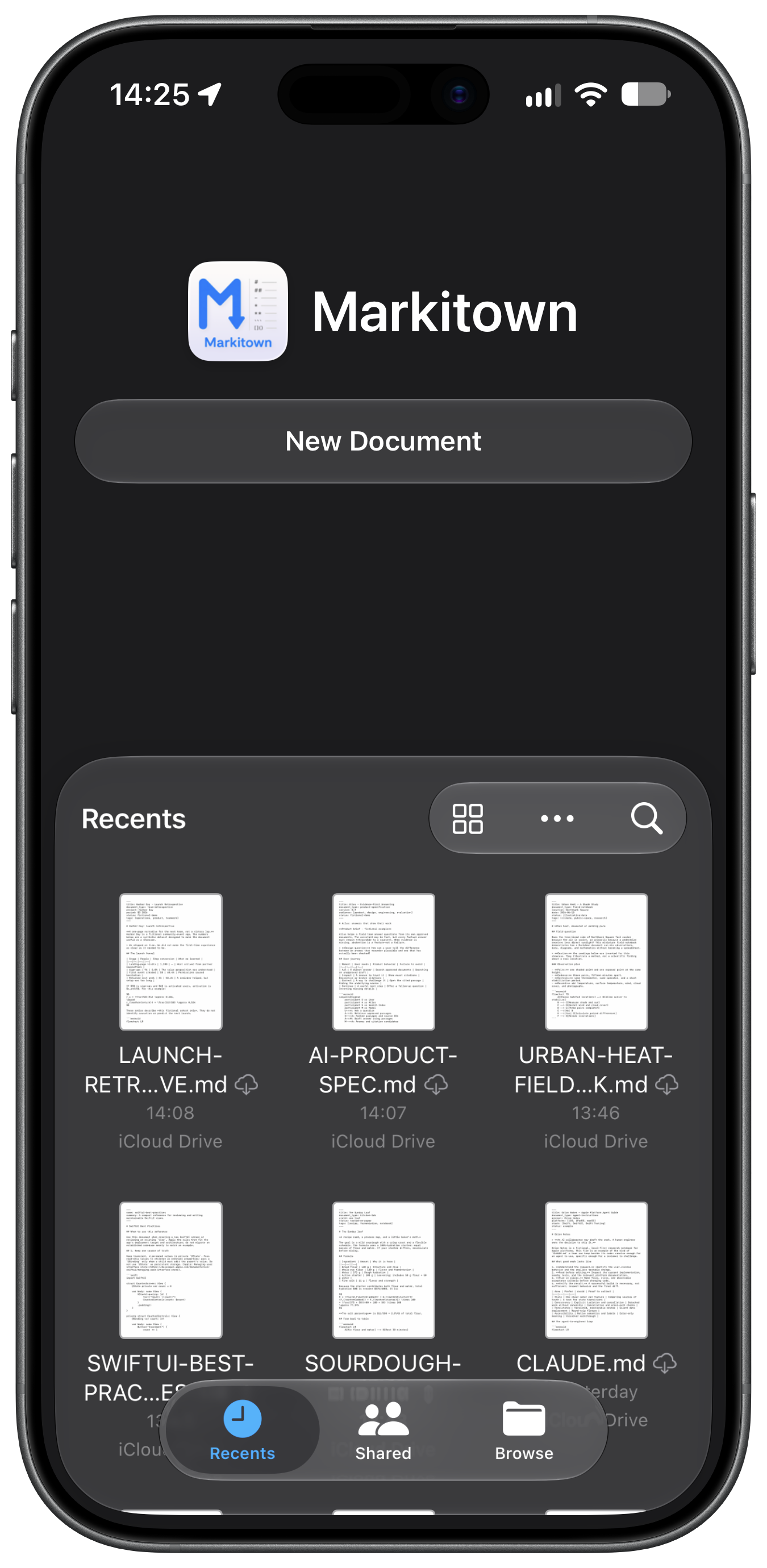
Native file storage
At home in your own folders.
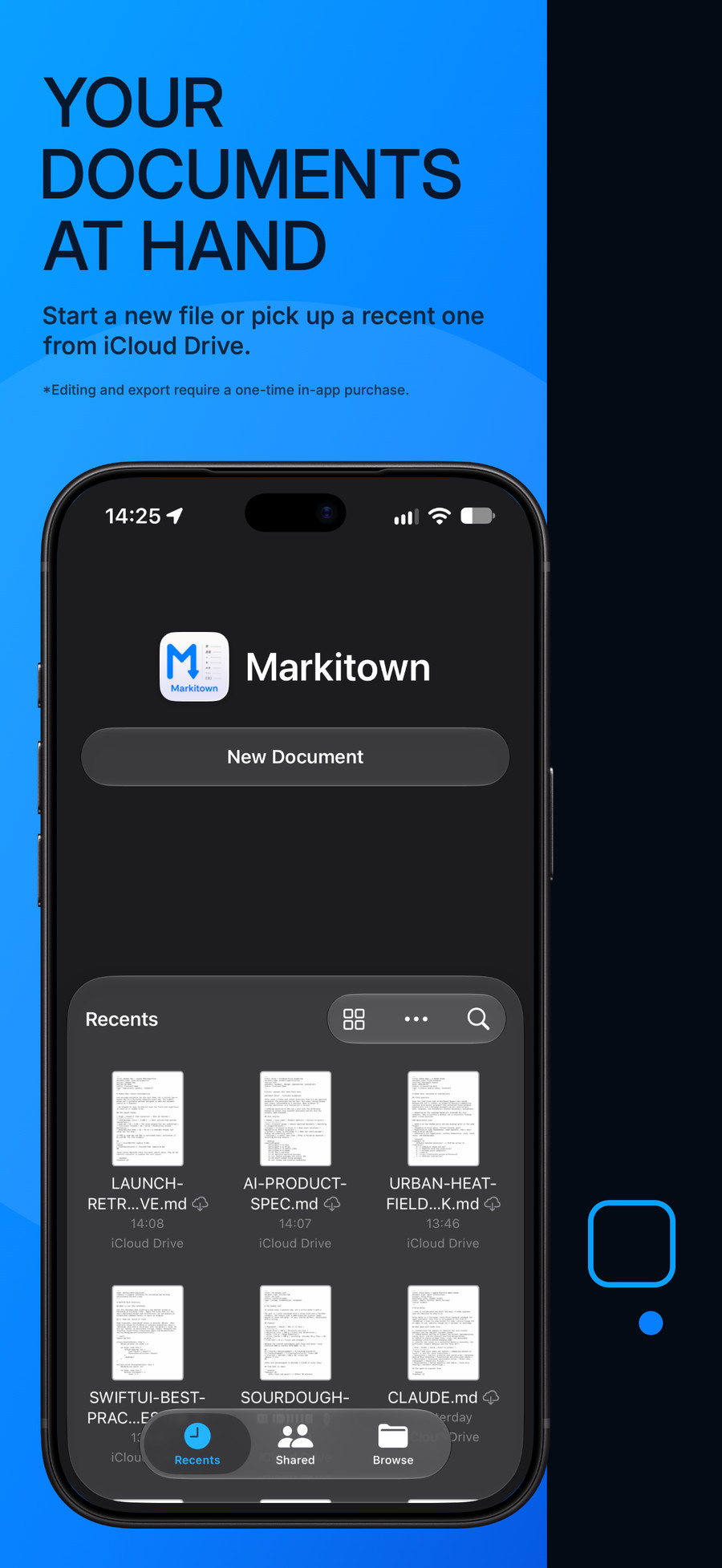
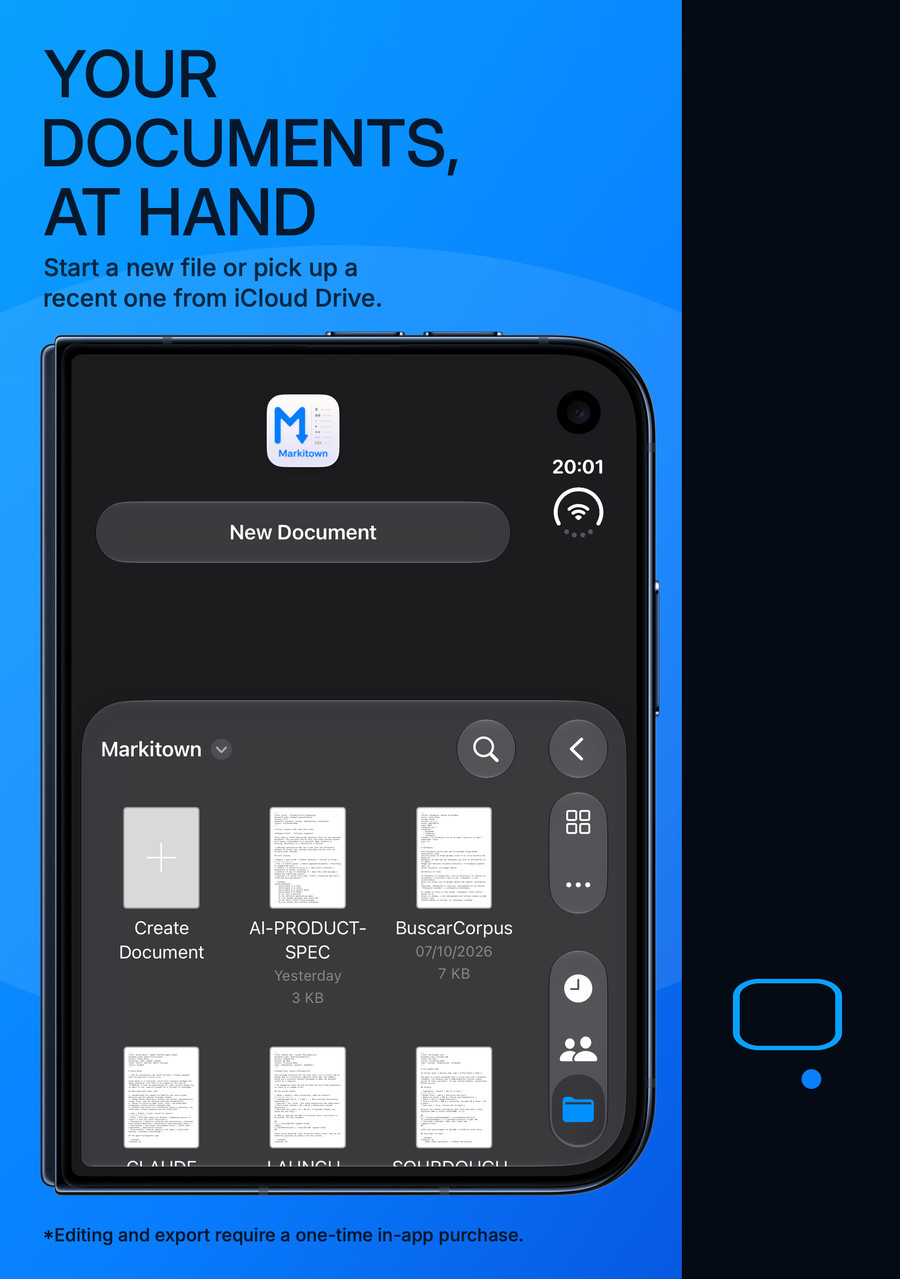
Open documents from Files, the Finder or iCloud Drive. No import ritual. No proprietary library. Just Markdown, in the locations you choose.
The same ordinary files remain usable with your agents and your other tools.
iPhone · The native document browser and iCloud Drive locations.
Auto-save. Stay with the thought.
Native document auto-save takes care of saving your edits as you work, so you can stay with the idea in front of you.
Continuity. Follow the idea.
Start on your iPhone, continue on your iPad and finish on your Mac with Handoff. Keep the document in iCloud Drive and open it on Apple Vision Pro, too—your same Markdown, in a whole new workspace.
Your files. Your Time Machine backup.
On Mac, documents in locations included in your Time Machine backup can be restored with Time Machine. Your Markdown stays an ordinary file, not locked inside an app library.
Handoff requires compatible iPhone, iPad and Mac devices, the same Apple Account, Wi-Fi, Bluetooth and Handoff enabled. Vision Pro access here uses iCloud Drive, not a native Handoff transfer. iCloud availability and Time Machine recovery depend on your settings and existing backups. Editing requires the full version of Markitown.
100% native. No Electron inside.
Not a web app dressed up in Electron. Markitown is 100% native, built with SwiftUI, UIKit, AppKit and TextKit 2, taking advantage of modern APIs in Apple’s 26 and 27 releases. Engineered for responsive performance and careful use of memory and system resources, even with very large documents—so those resources go into your work, not the wrapper.
Mac · iPhone · iPad · iPhone Duo · Apple Vision Pro
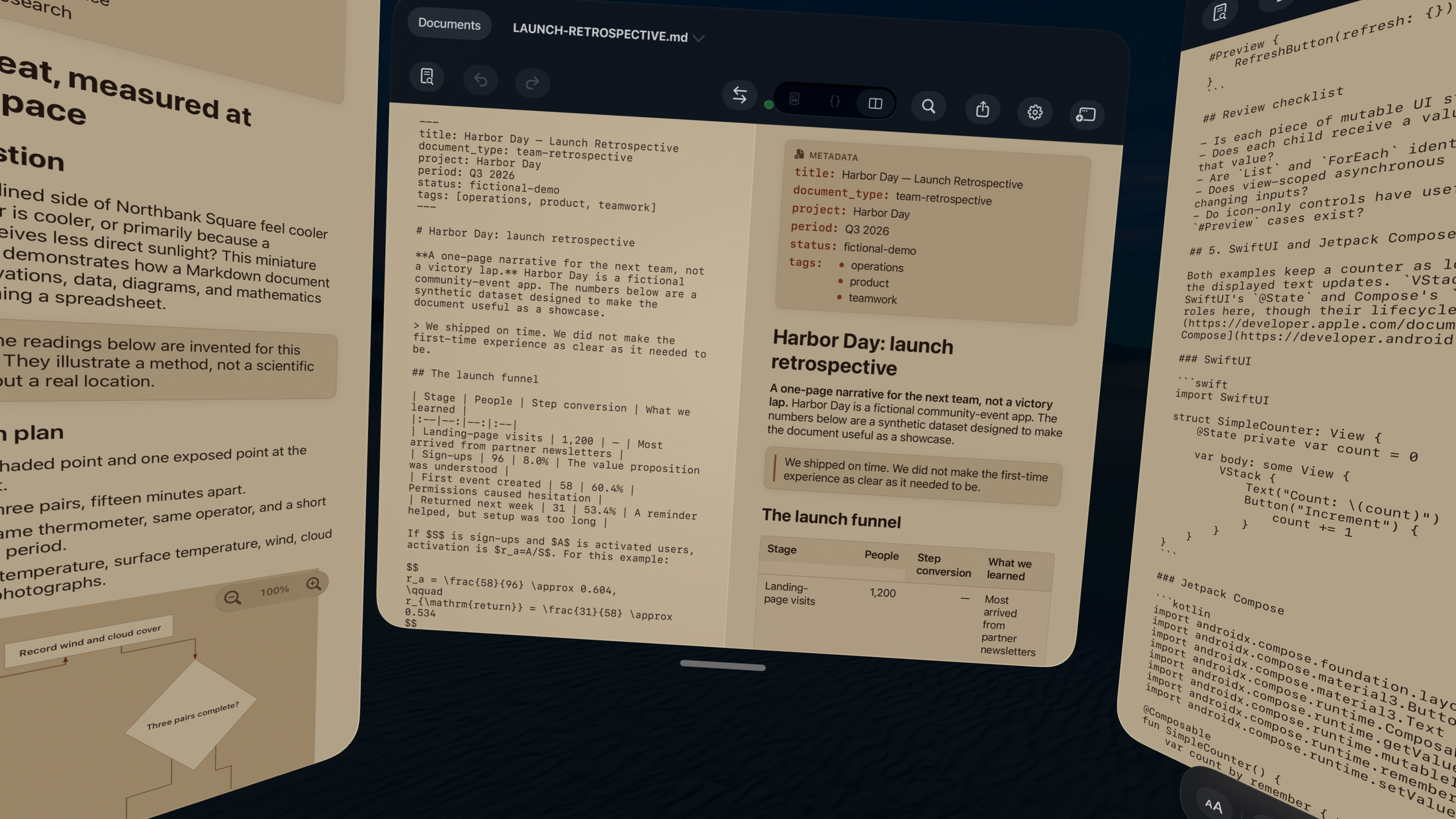
Edit your documents in spatial computing
Your ideas. A whole new dimension.
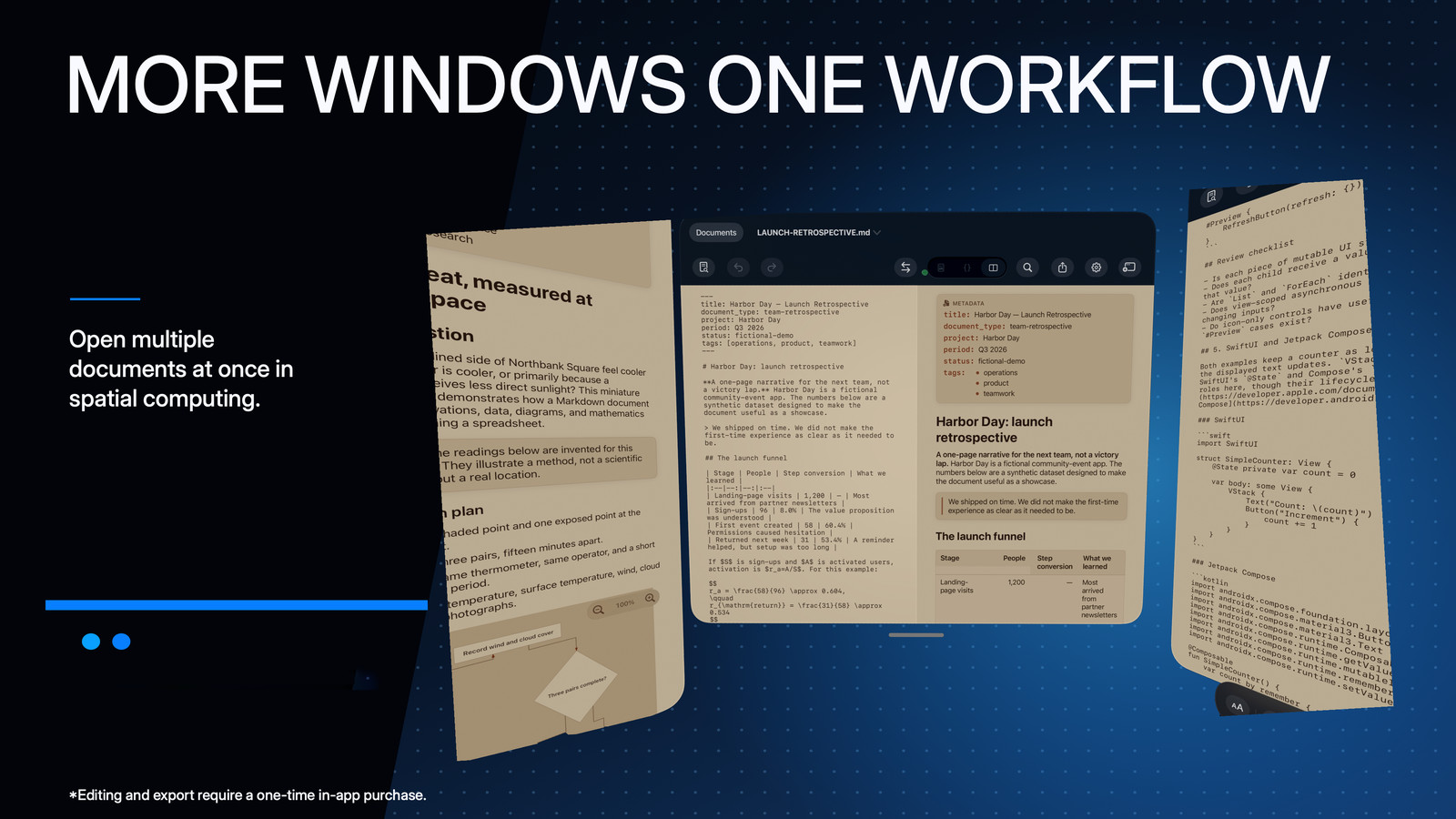
Move beyond the edge of a screen. On Apple Vision Pro, give each document its own native window. Keep a plan beside your research. Bring the draft into view. Open more documents as your workspace grows.
As many document windows as you need, within available system resources. No fixed numerical window limit is published by Apple. Reading is free; editing requires the full version of Markitown.
Prefer a screen? Keep documents side by side on Mac and iPad, too.
Apple Vision Pro · Three native document windows, captured together; side windows continue beyond the frame.
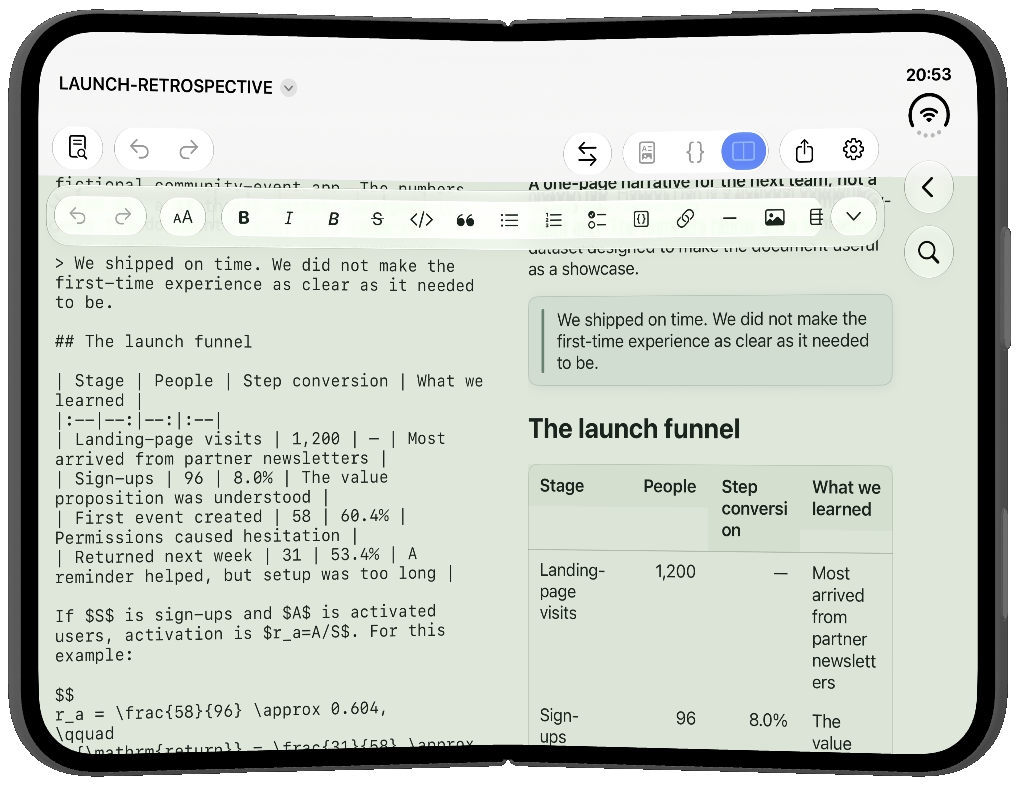
iPhone Duo
A bigger canvas. Still in your hands.
An adapted workspace makes room for the larger inner display. Your documents feel at home here, too.
iPhone Duo · The larger-display workspace, in landscape.
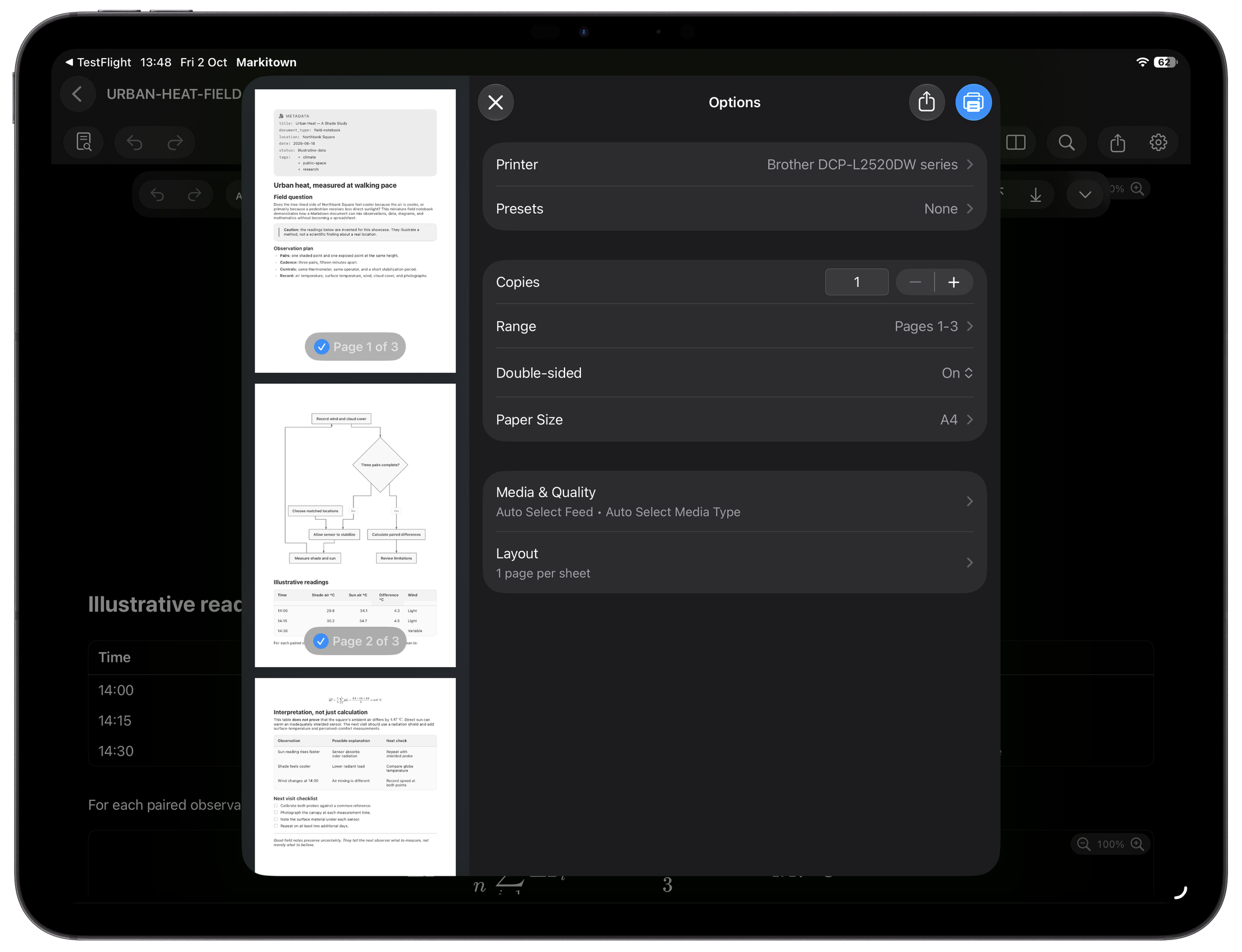
Share with the full version of Markitown
From agent output. To a shared document.
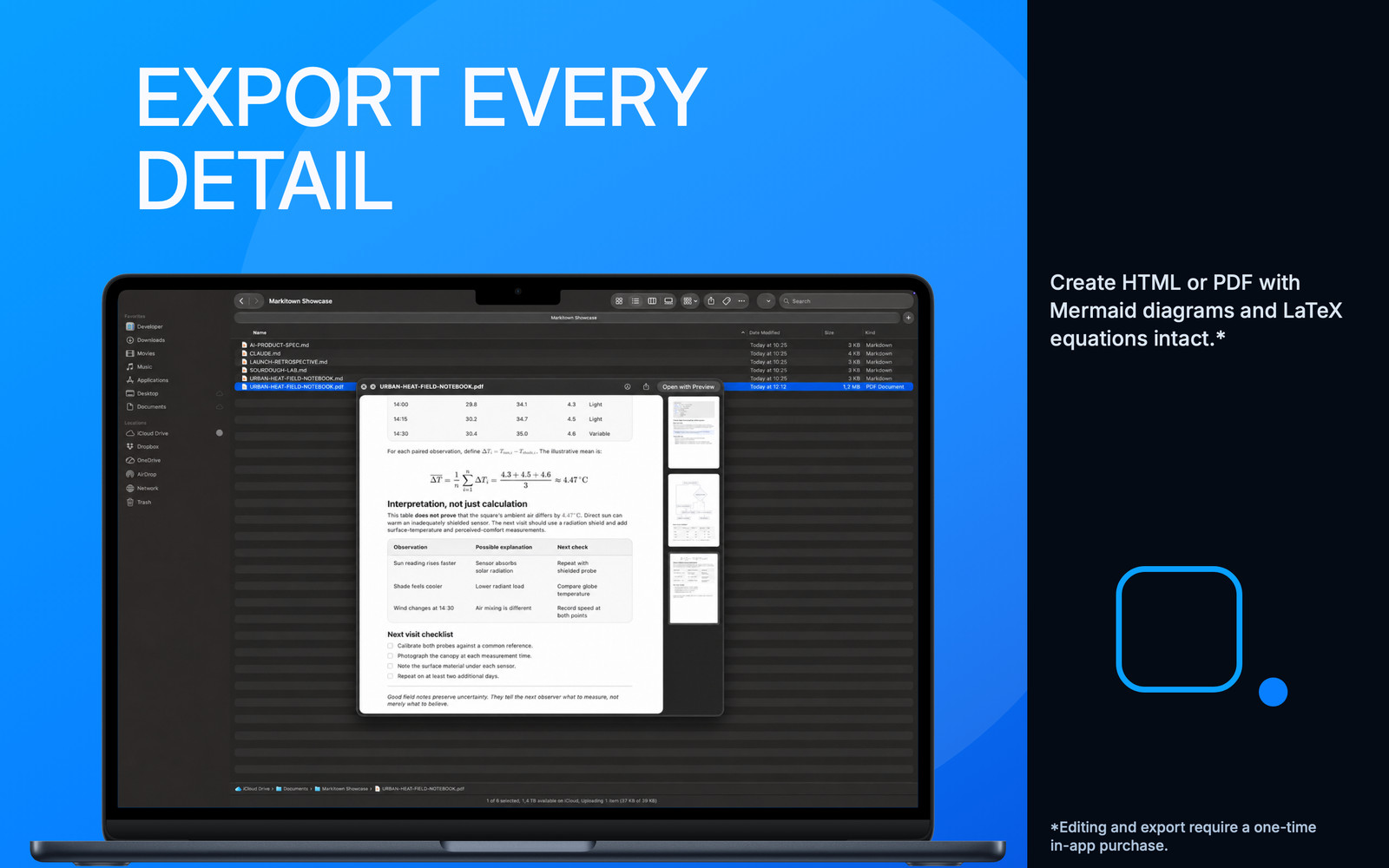
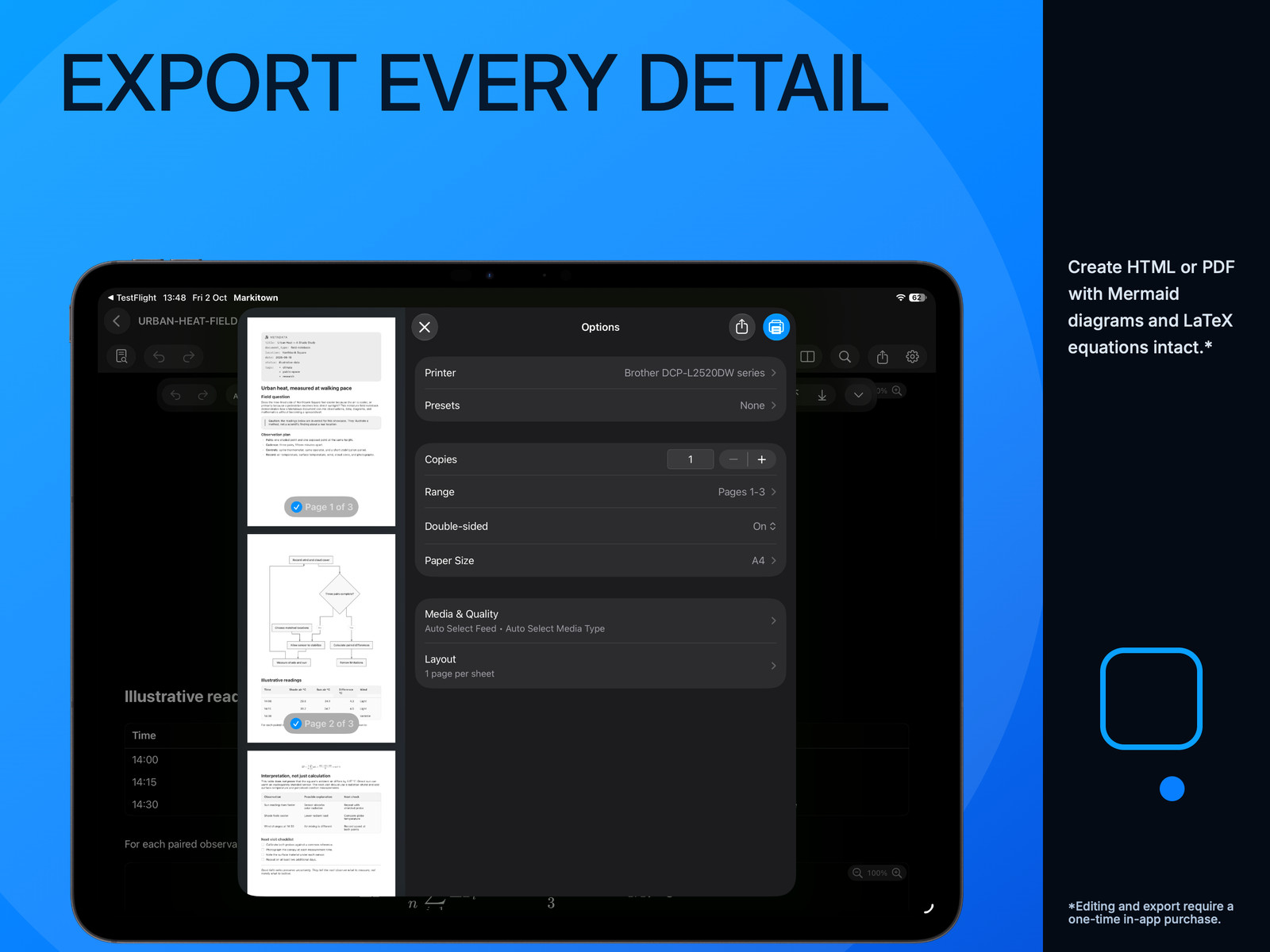
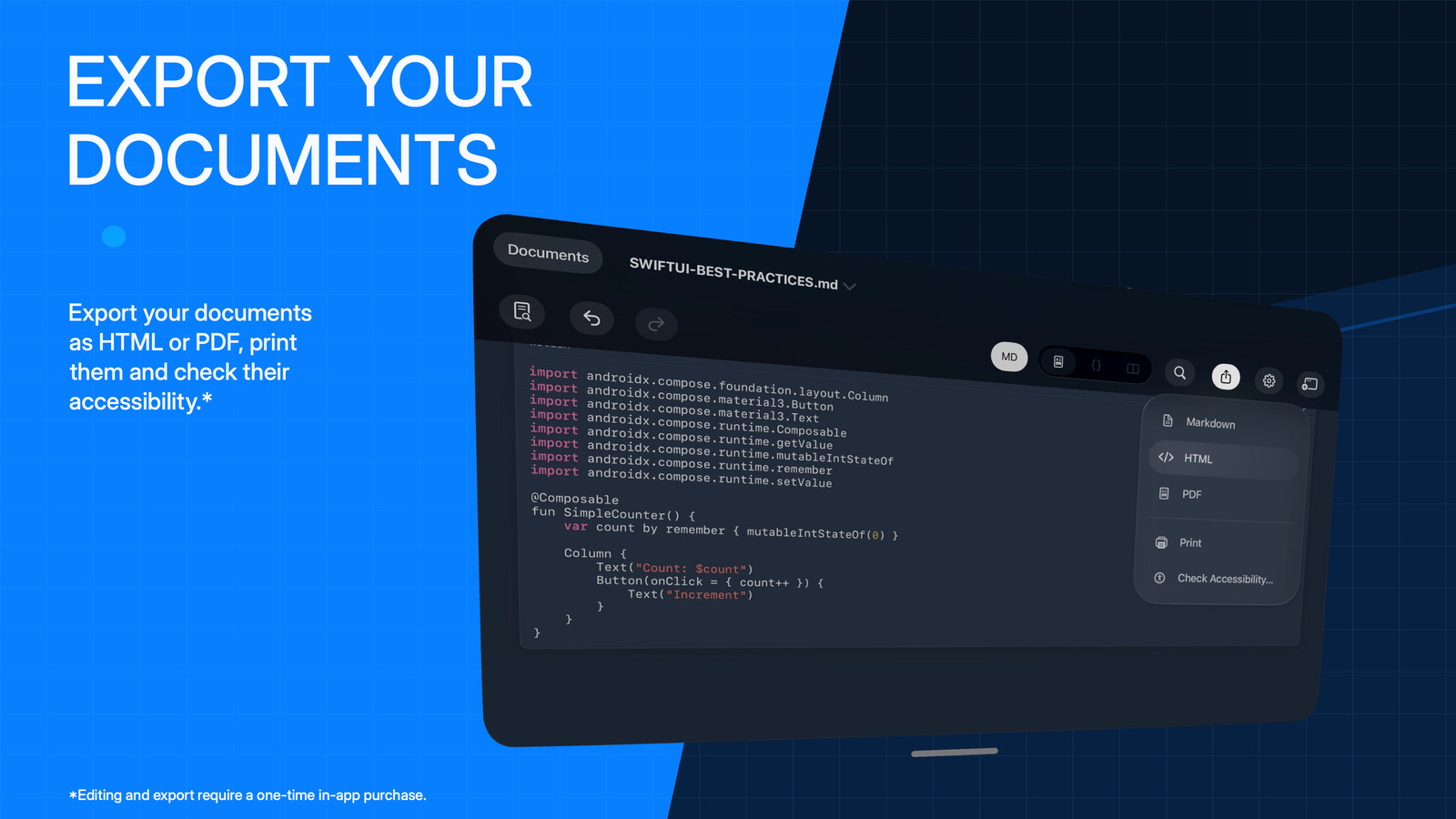
Turn a Markdown plan, report or technical explanation into PDF or HTML, or print a copy. Share the result without asking everyone to use the same app.
PDF · HTML · Print
iPad · PDF preview and the document export options.
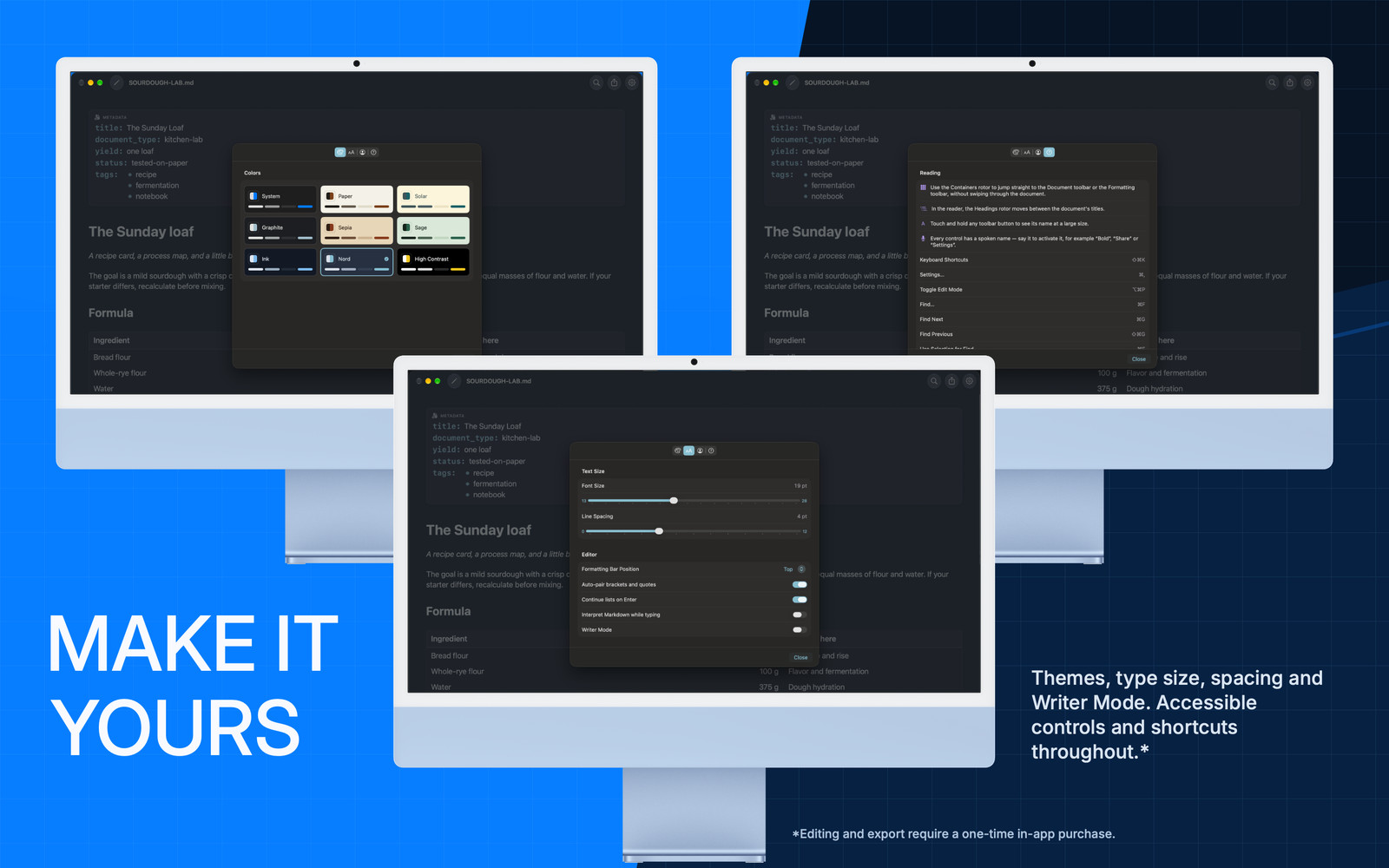
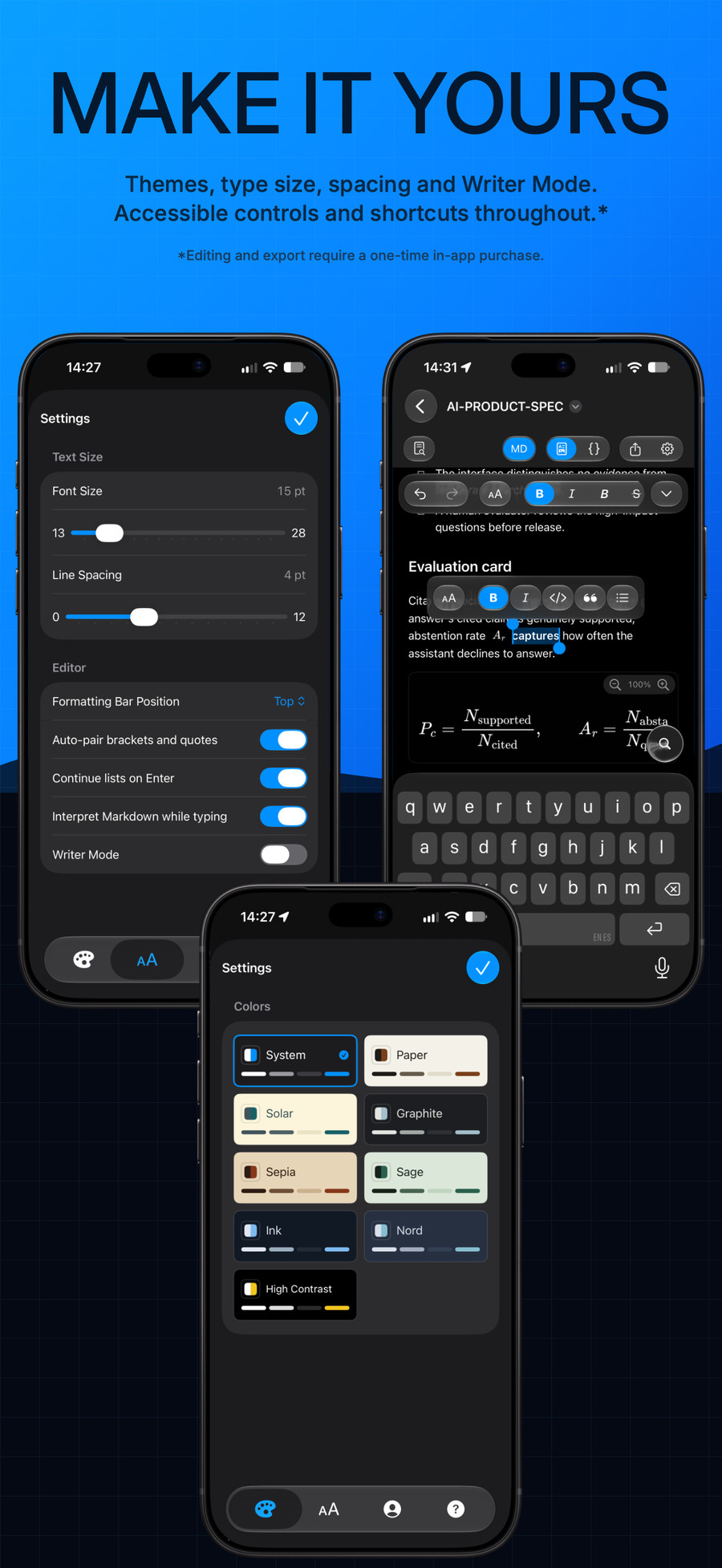
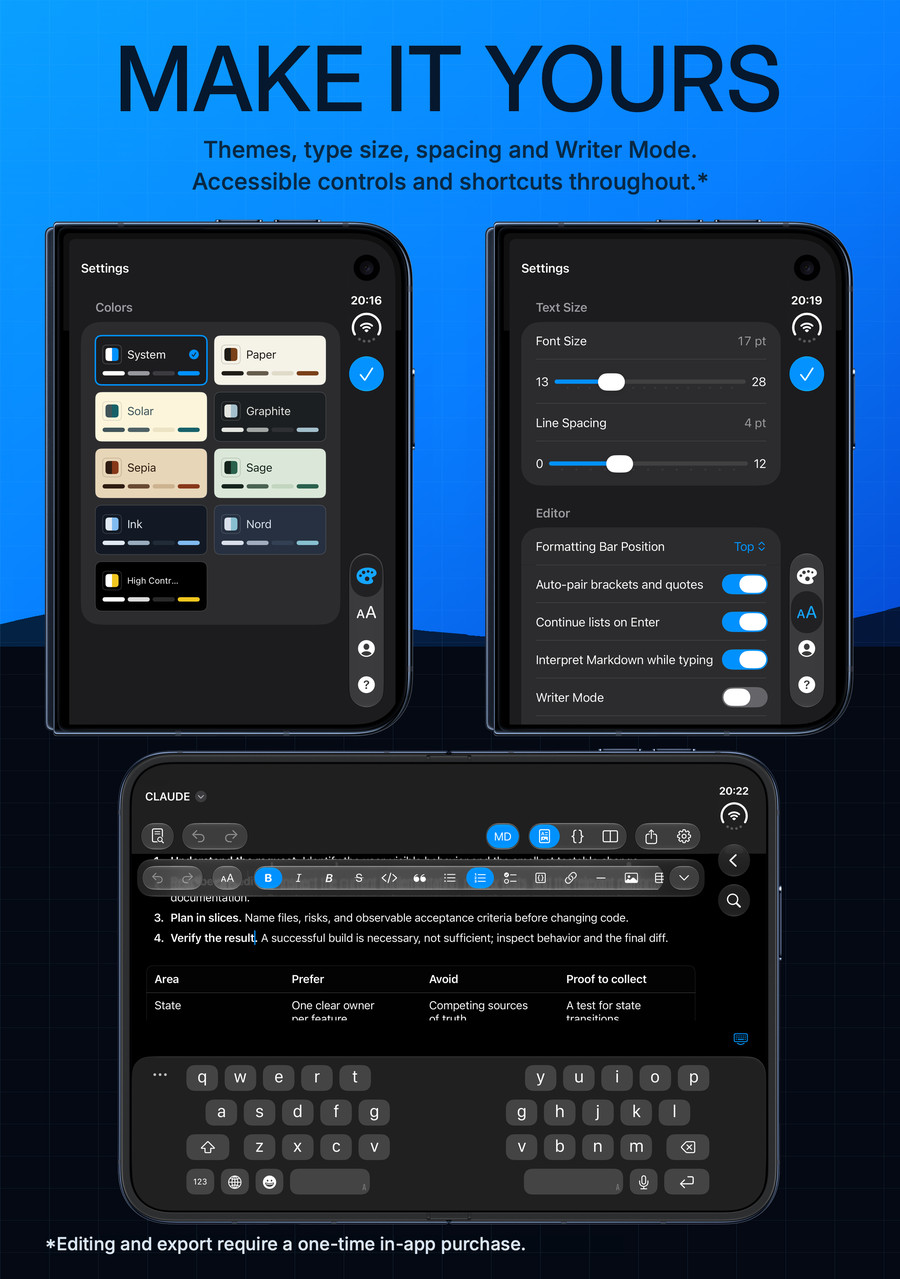
Type & spacing
Give your eyes a little more room.
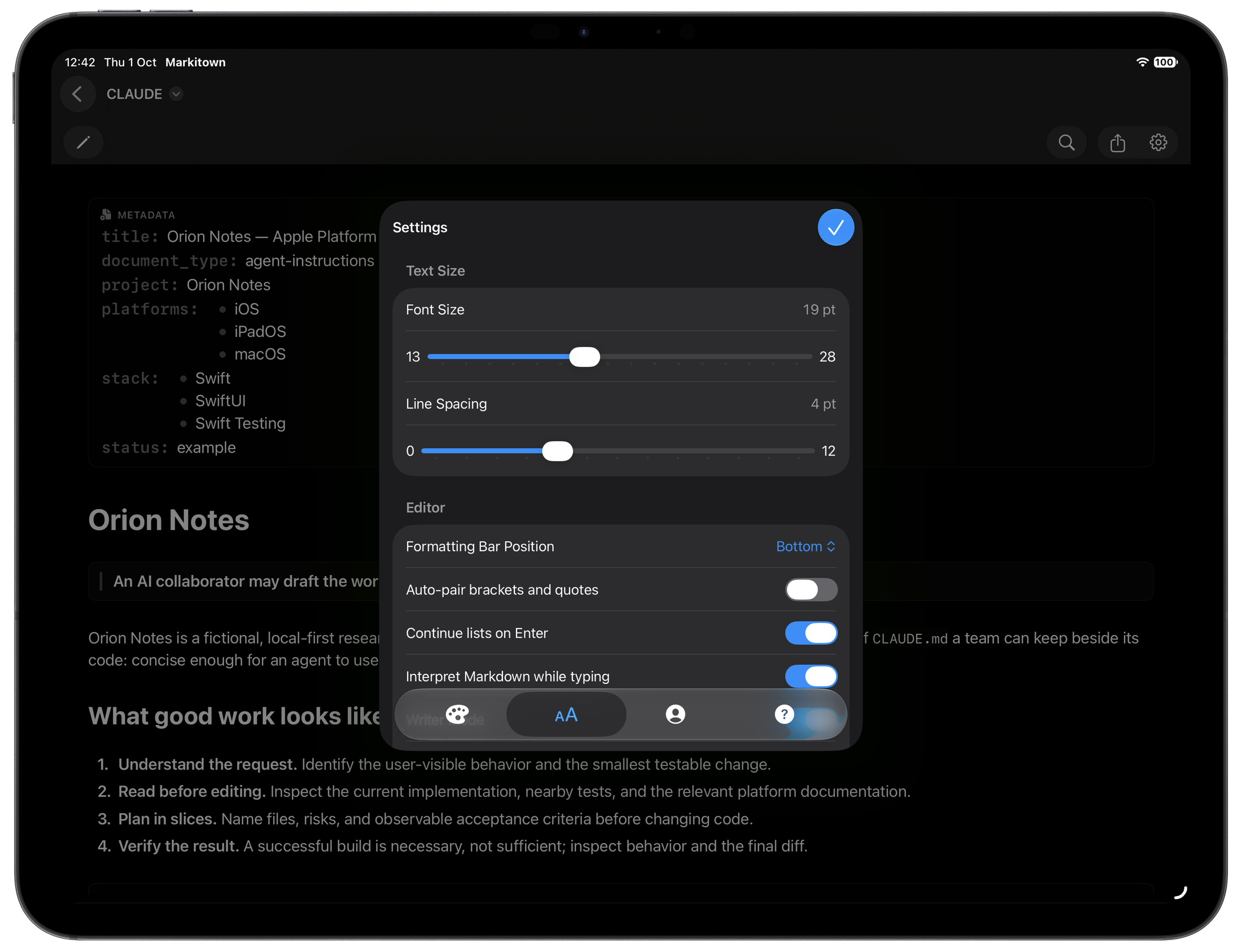
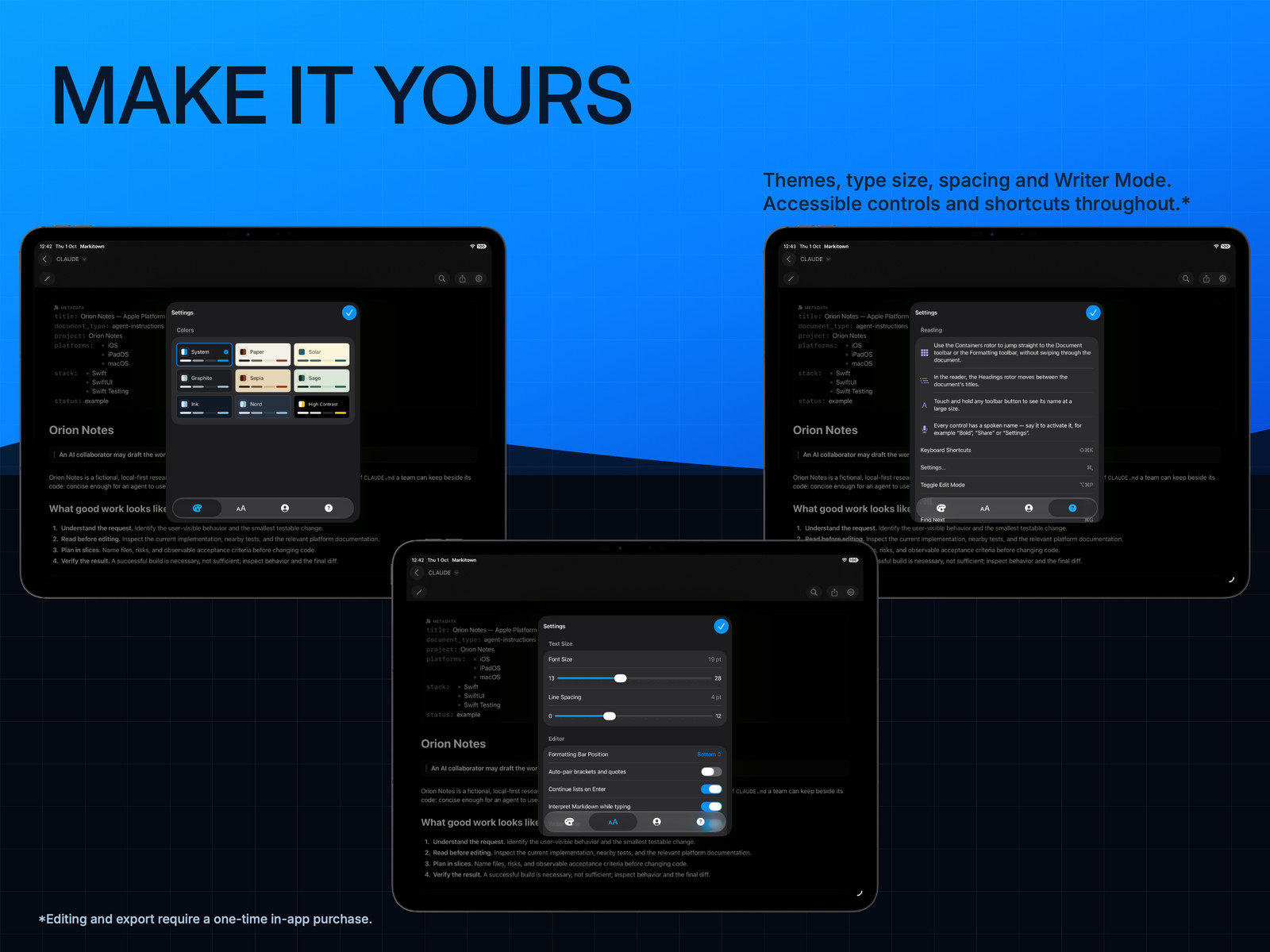
Adjust text size and spacing on supported platforms. Find the reading rhythm that works for you, from a short note to the long read.
Writer Mode. When you write at the end of a document, keep the line you’re typing just below the middle of the visible editor—not pressed against the bottom edge. Part of the full version of Markitown. Line numbers. Show optional line numbers in the left margin on Mac, iPad and Apple Vision Pro. Keep your place, or point someone to the exact line.
iPad · Text-size, spacing and formatting preferences.
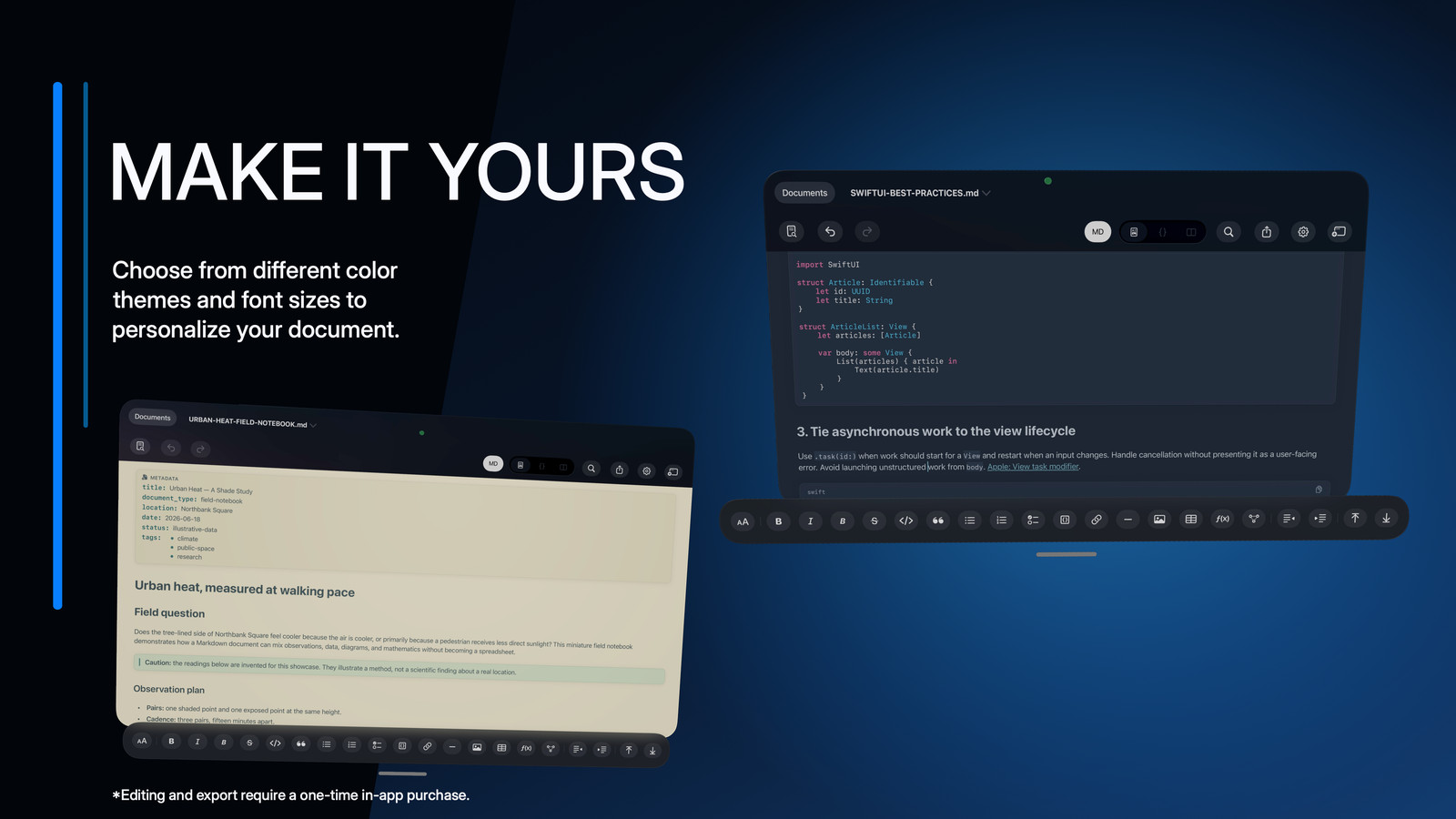
Nine appearance choices
A different light. The same ideas.
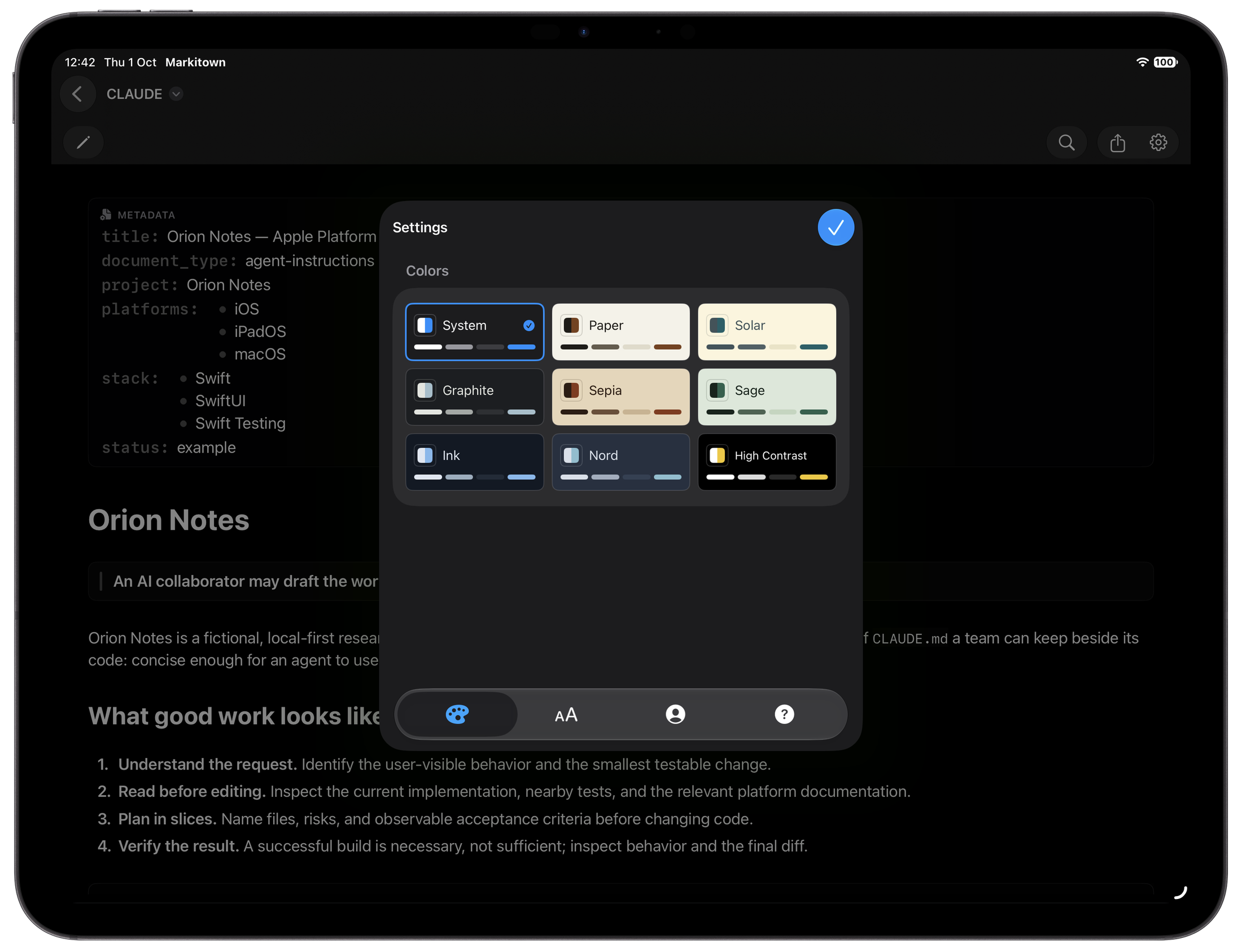
Follow your system, or pick a palette that feels right. Try the app-inspired themes on this page.
The page changes. The original app screenshots do not.
iPad · The document appearance and theme chooser.
Mac command-line tool
From your terminal. Back to your agent.
Open a Markdown plan from Claude Code, Codex or any command-line agent that can run a local command. Read it as a document. Refine it with the full version.
Use --wait for an editor handoff: save your changes, then close the document window to return control to the terminal. For tools that honor $EDITOR, make Markitown your editor.
Mac only. Separate CLI installation required. Free to read; the full version of Markitown to edit. Markitown edits your documents—it does not run AI agents or connect to models.
markitown · Command examples
# Open a Markdown document
markitown AGENTS.md

# Review a plan; save and close to return
markitown --wait plan.md

# For tools that use your preferred editor
export EDITOR="markitown -w"
Illustrative commands, not a terminal recording.
CLI installer distribution is pending verification. No download is linked in this local review.
Free from the start
Start free. See Markdown differently.
Unlimited reading for $0. Add editing and export only if you want them. No account to create. No subscriptions.
Markitown Free
Free to read.
Free. No purchase required.
$0
Unlimited reading. Not a trial.
Start seeing your Markdown like never before. Mermaid diagrams, GFM tables, LaTeX equations, highlighted code and more. All free.
Unlimited viewing in Rendered and Markdown modes
Rendered Markdown, tables and tasks
Code, LaTeX and Mermaid diagrams
Search, themes and reading preferences
Unlimited Quick Look on Mac: Rendered and Markdown
Markitown · Full version
Yours to create.
United States · USD
US$19.99
Unlock editing and export with one optional, one-time in-app purchase for Mac, iPhone, iPad and Apple Vision Pro using the same Apple Account. Permanent access and lifetime updates, with no extra payment per platform or subscription. Reading stays free.
Current configured App Store prices, checked October 21, 2026. The App Store shows the final price for your storefront.
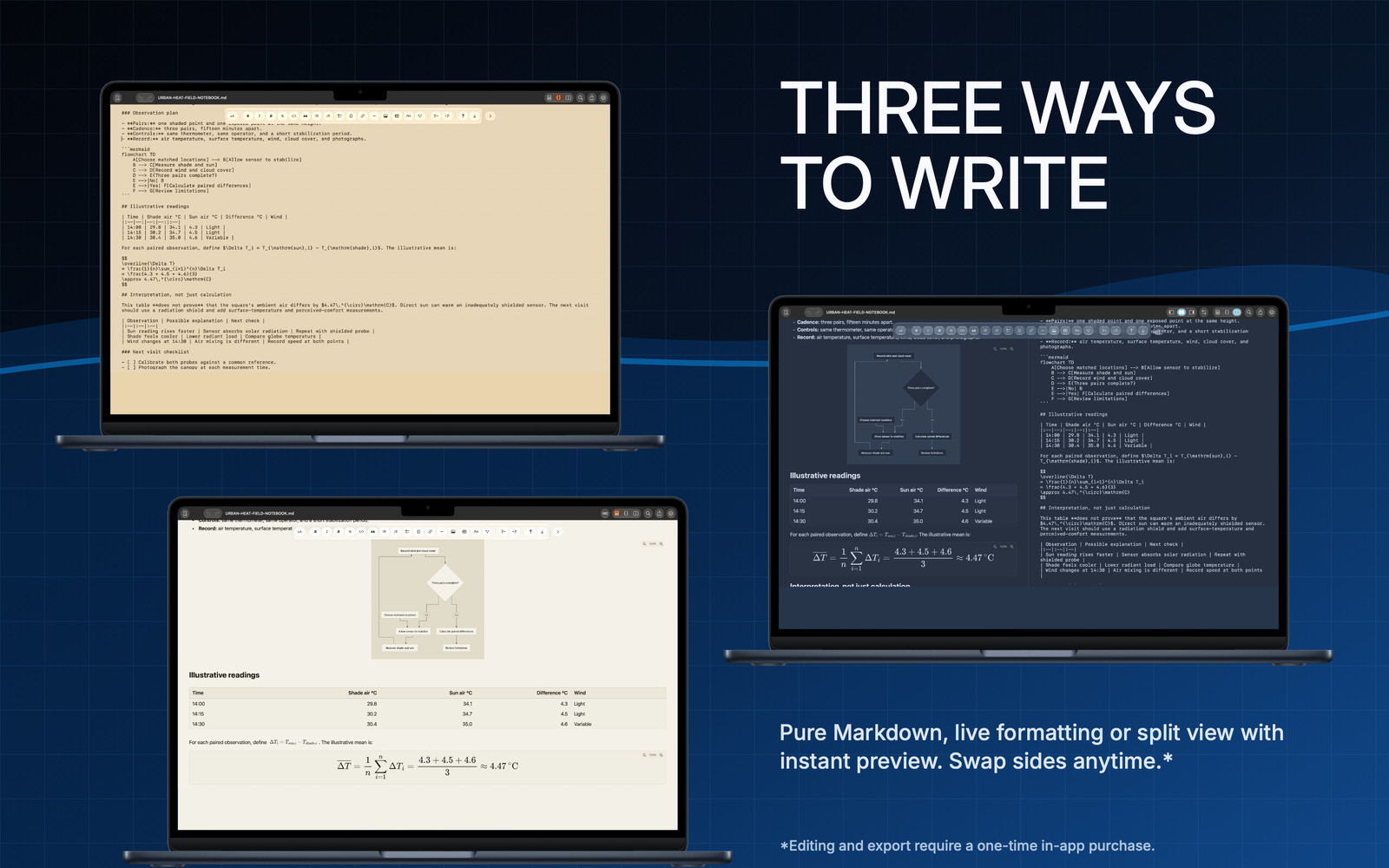
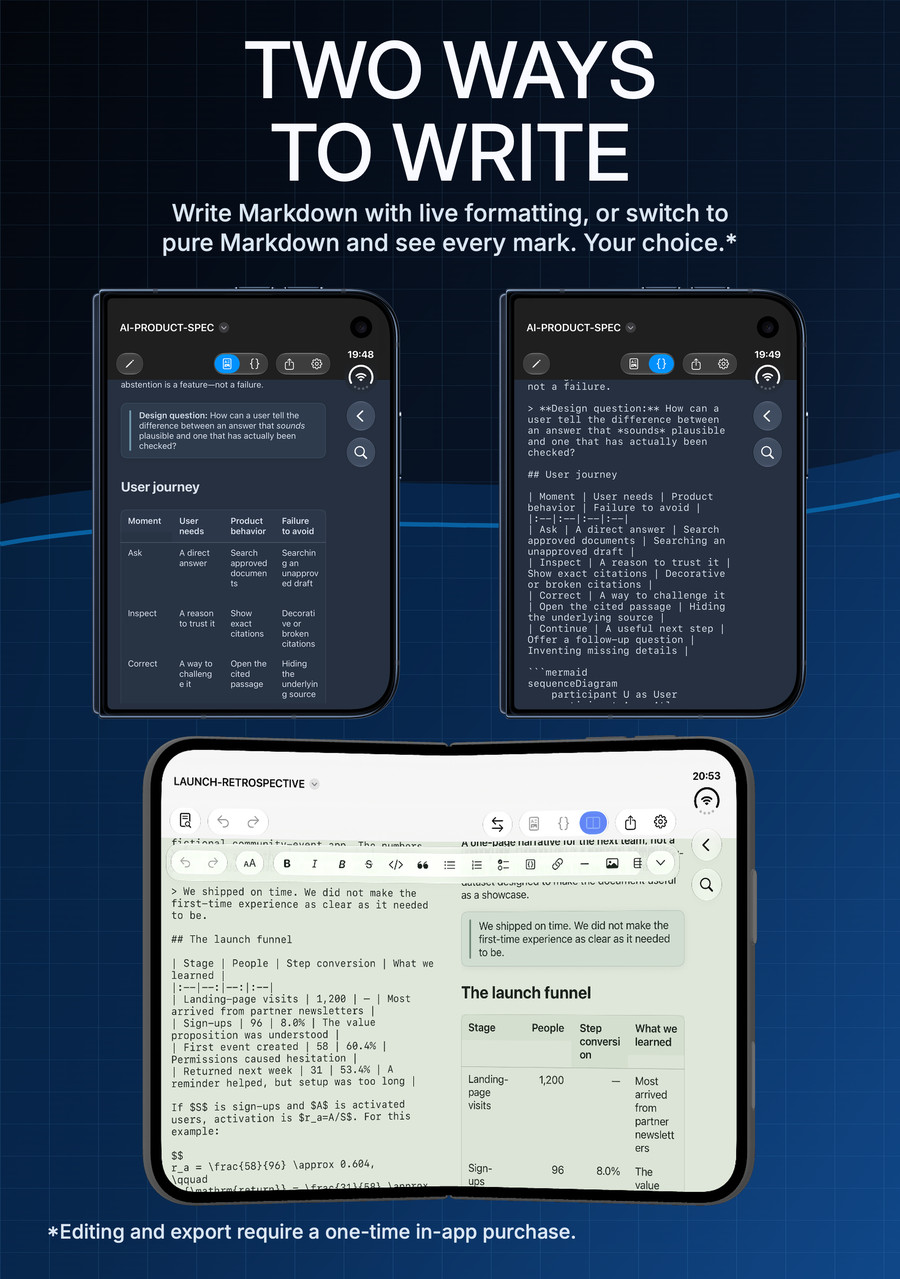
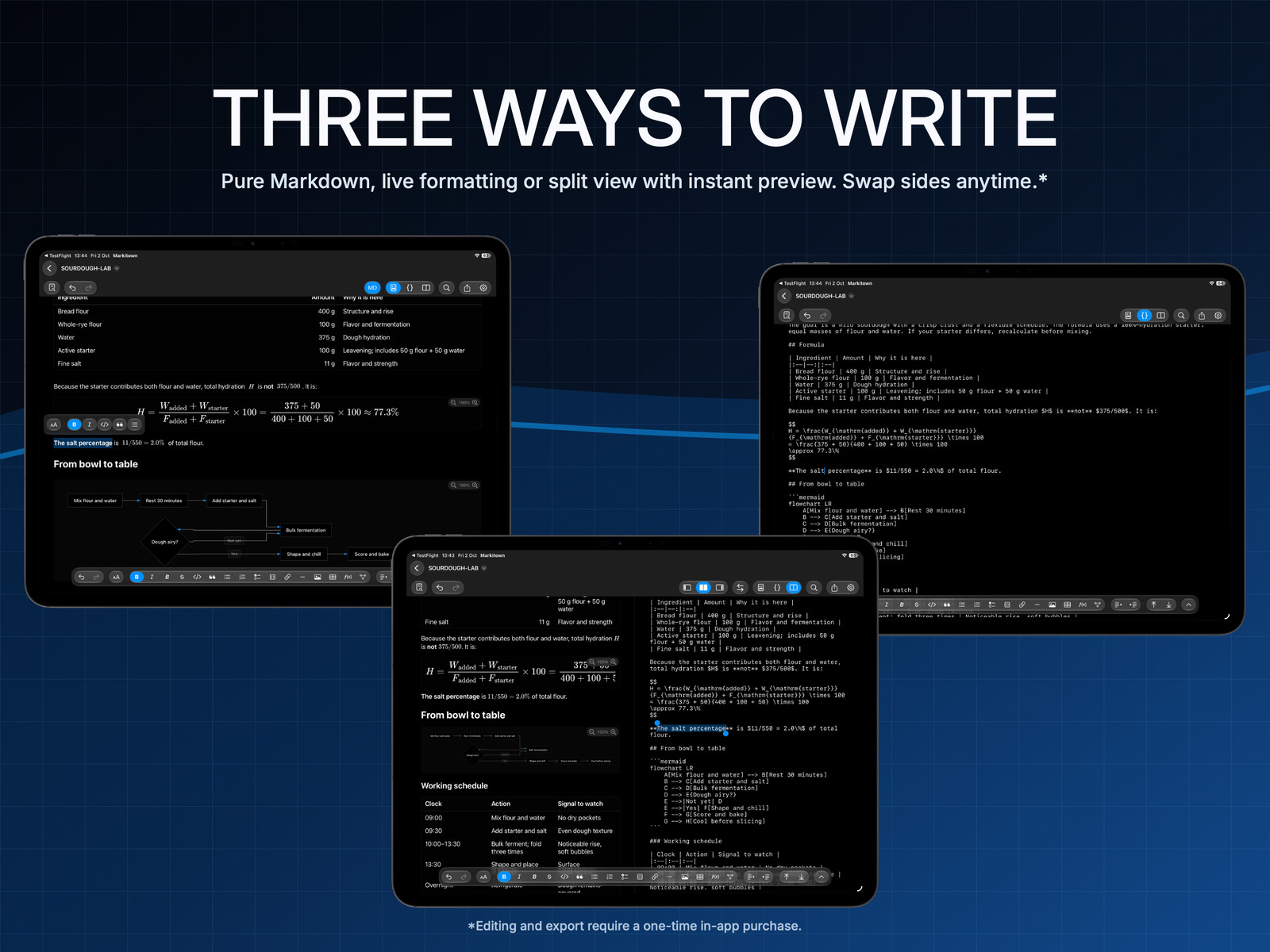
Rendered, Markdown and Split editing
Create tables, equations, diagrams and code
Replace text, including regex
Export PDF or HTML, and print
Writing layouts vary by device. Split view is available on Mac, iPad and Apple Vision Pro where the window has enough room, and on an open, landscape iPhone Duo.
On the App Store
See Markitown on your device.
Choose a device, then scroll horizontally to explore all eight screenshots. Select an image to enlarge it.
One purchase. Every platform. Forever. A single purchase of the full version gives you permanent access on Mac, iPhone, iPad and Apple Vision Pro for the same one-time price, using the same Apple Account. No extra payment per platform. No subscription. Reading remains free.